Ads not visible after launch
Use Meta Ads Manager's ad set view to refresh launched ads that are not visible immediately after a successful Adtool launch.
Use this guide when a batch launched successfully in Adtool but the ads do not appear right away in Meta Ads Manager. This is usually a Meta Ads Manager cache or visibility issue, not a failed launch.
A successful Adtool launch can take a moment to appear in Meta Ads Manager, so do not relaunch only because Meta has not refreshed yet, since that can create duplicate ads.
Open the launched ads from Adtool
Go to the batch history overview in Adtool.
Click
Open Adson the successfully launched batch.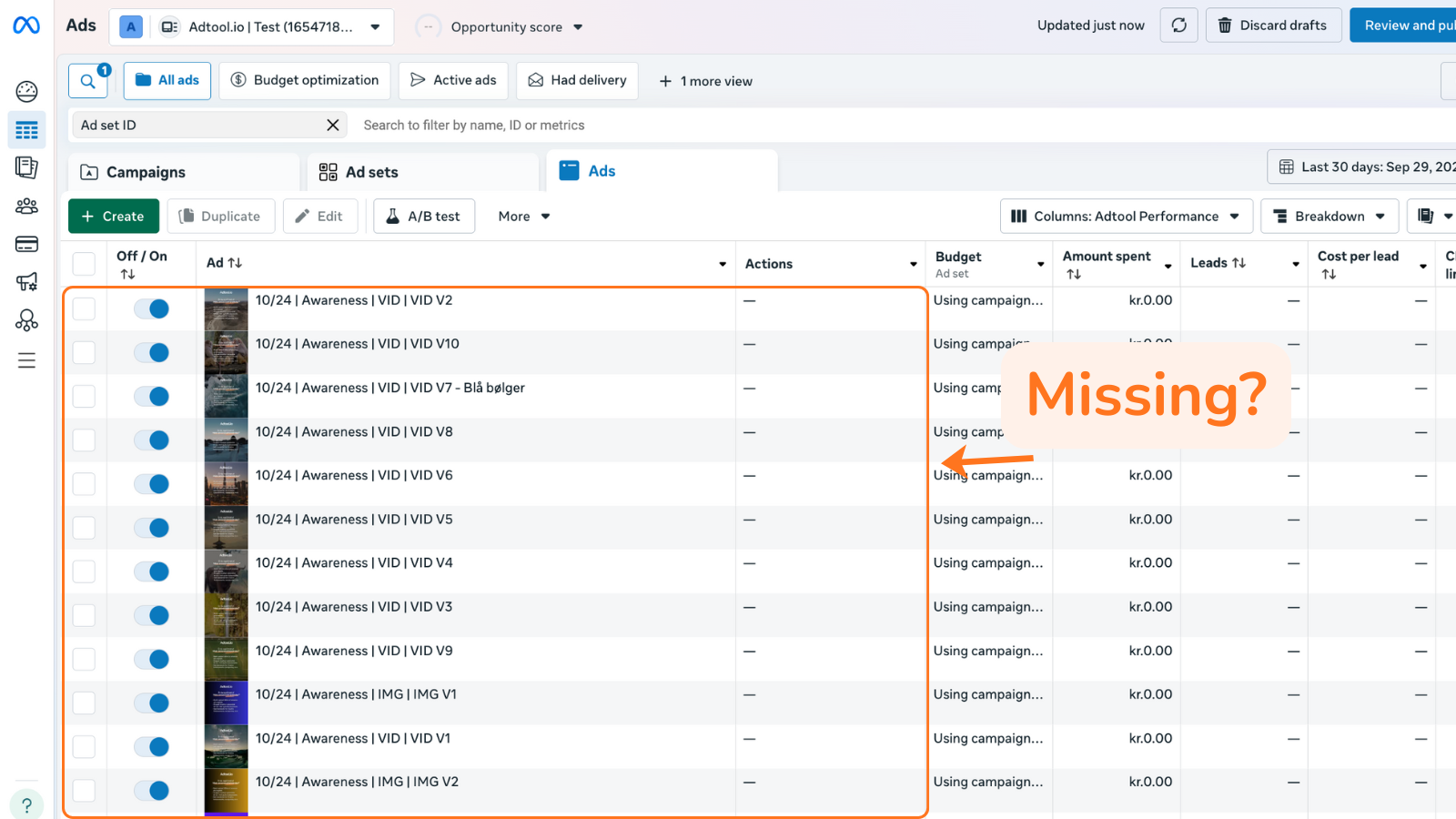
Refresh the view in Meta Ads Manager
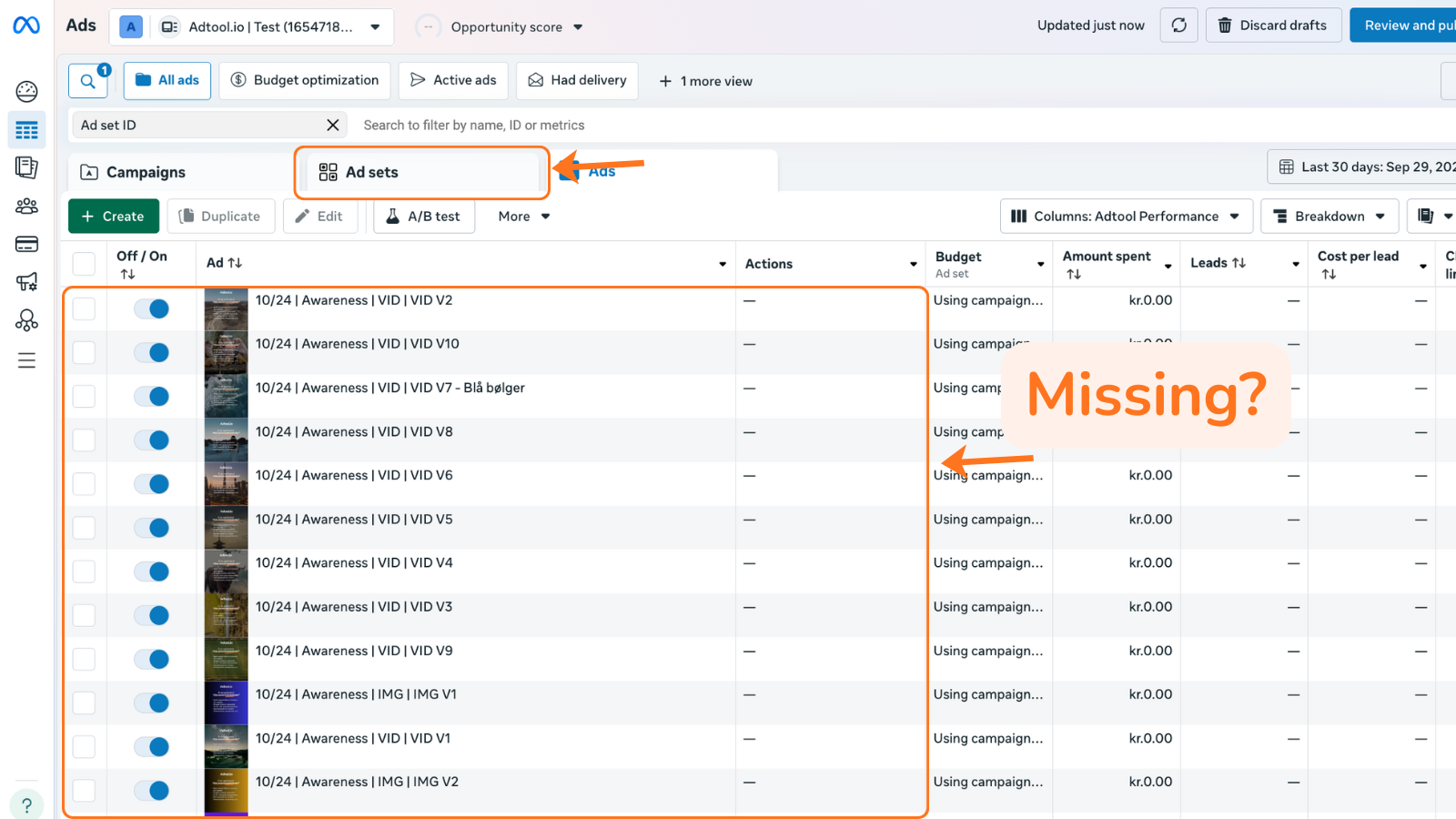
In Meta Ads Manager, switch to the
Ad setsview.Find the ad set that contains the ads from your launch.
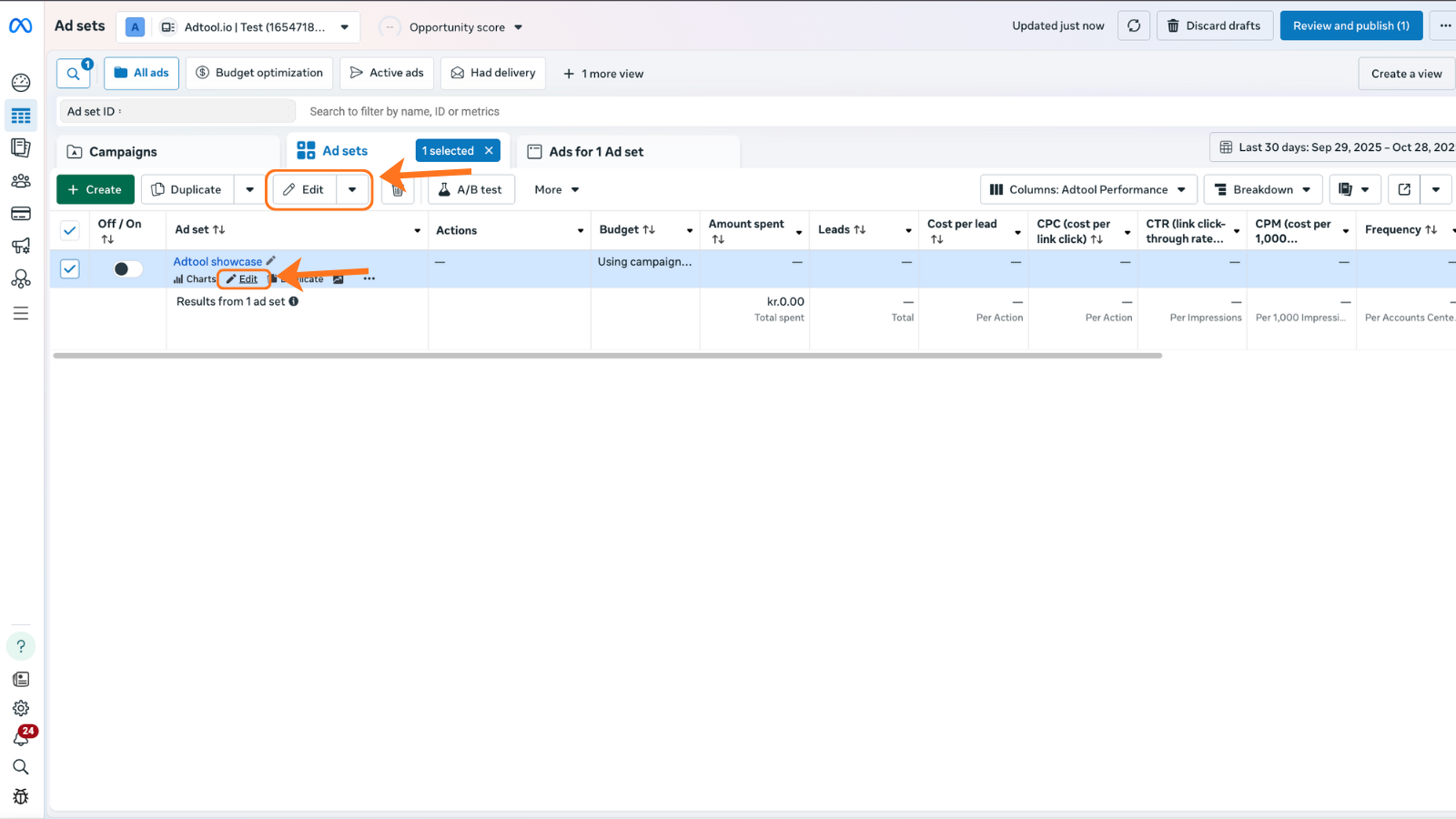
Open or edit the relevant ad set.
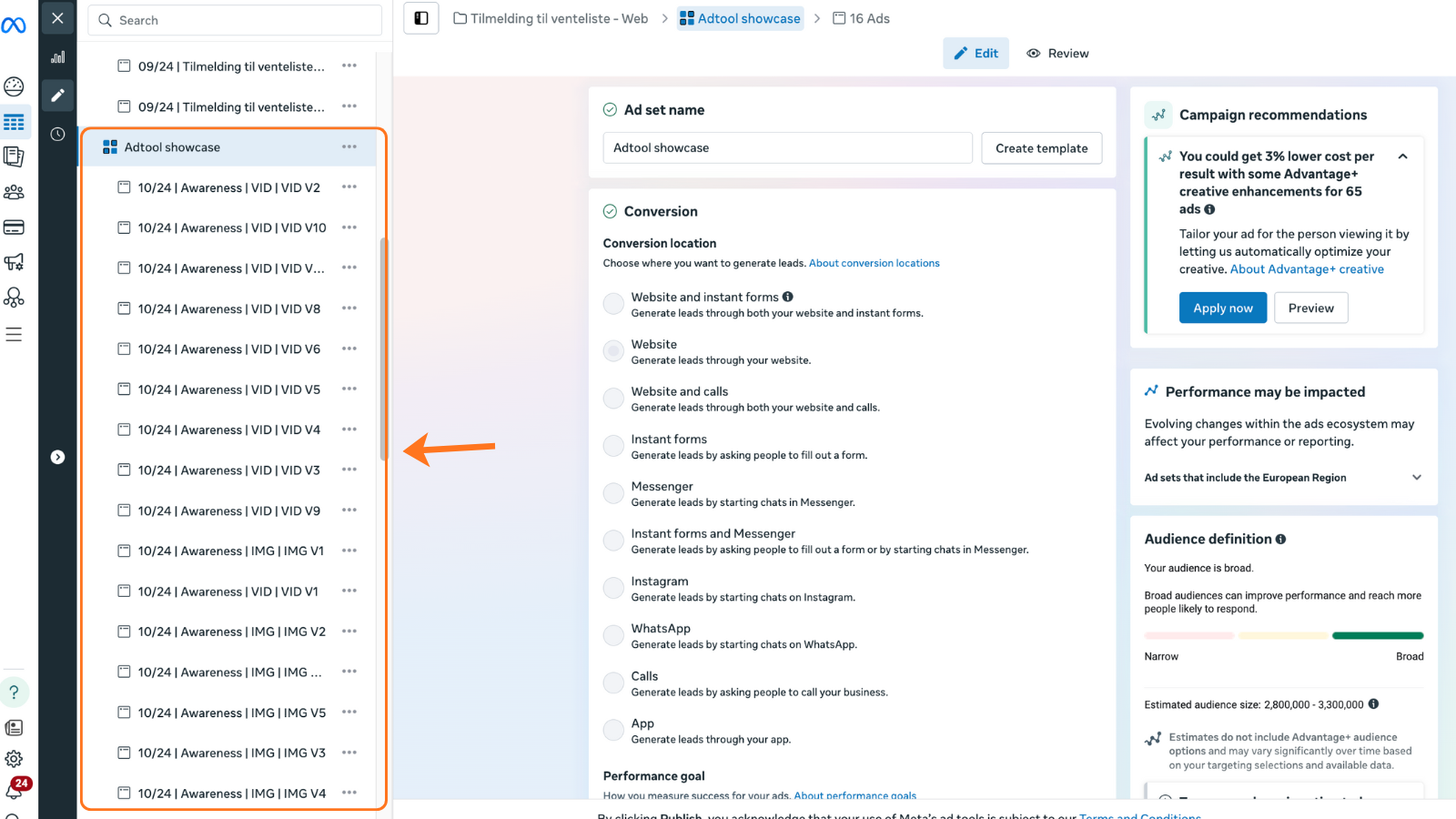
Check the ads again
After opening the ad set, return to the ads overview in Meta Ads Manager. The ads usually appear after Meta refreshes the view.
If the ads are still missing
Confirm Meta Ads Manager is using the same ad account as the Adtool launch.
Check campaign, ad set, status, and date filters in Meta Ads Manager.
Wait briefly, then refresh Meta Ads Manager again.
If you still have issues after following this guide, contact support and include:
The batch name and launch time
The ad account used for the launch
The campaign and ad set where you expected the ads to appear
Any active filters in Meta Ads Manager
Was this helpful?
Still need help? Ask the team