Set custom rules for ads
Open the exact ads you launched with Adtool in Meta, already selected, then create a custom rule for that set.
When you want a Meta custom rule to apply to specific ads you launched with Adtool, you can open those exact ads in Meta with all of them already selected, then create the rule there.
Step-by-step guide
Launch the ads you want the rule for
Create and launch the batch that contains the ads you want to manage, the same way you normally launch.
Select the batches in your launch history and open them in Meta
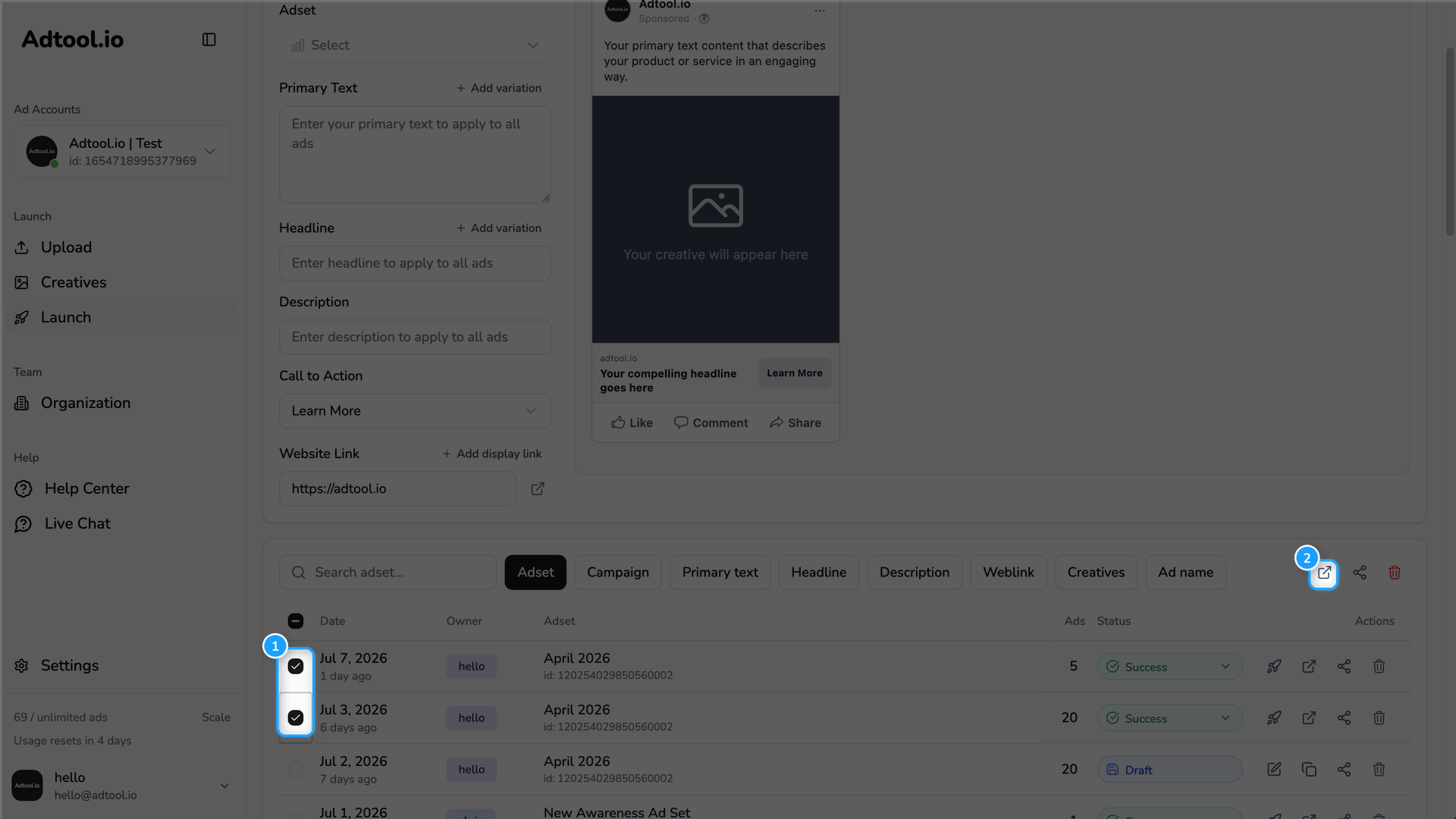
In Launch, go to your launch history at the bottom of the page. Tick the batches that contain the ads you want to create or edit a rule for, then click the open-ads icon (the square with an arrow) in the top right of the table. This opens Meta Ads Manager in a new tab with every ad from those batches already selected.
Create a new rule in Meta
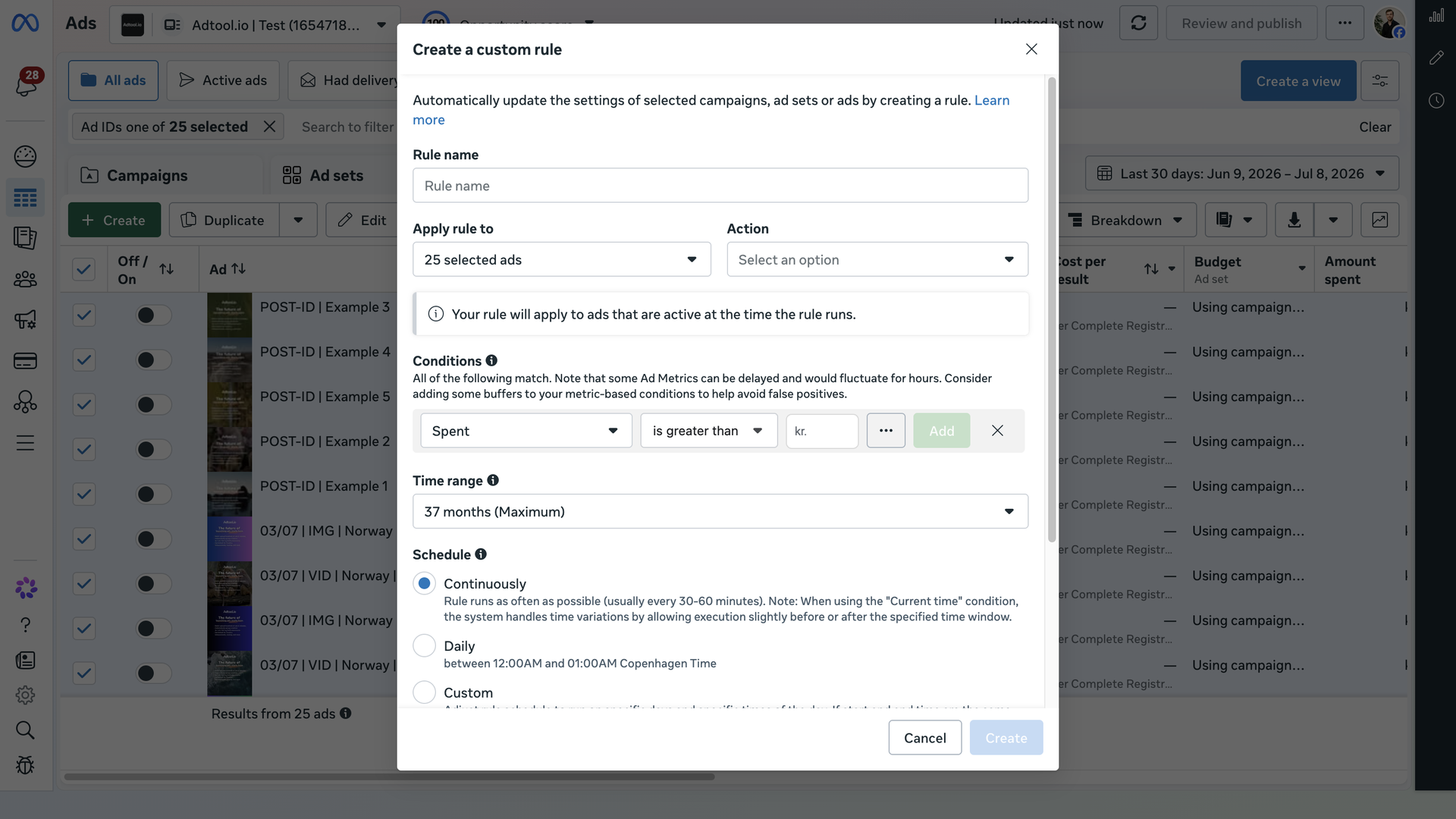
In Meta Ads Manager, confirm the ads you want are selected. Open the More menu and choose Create a new rule.
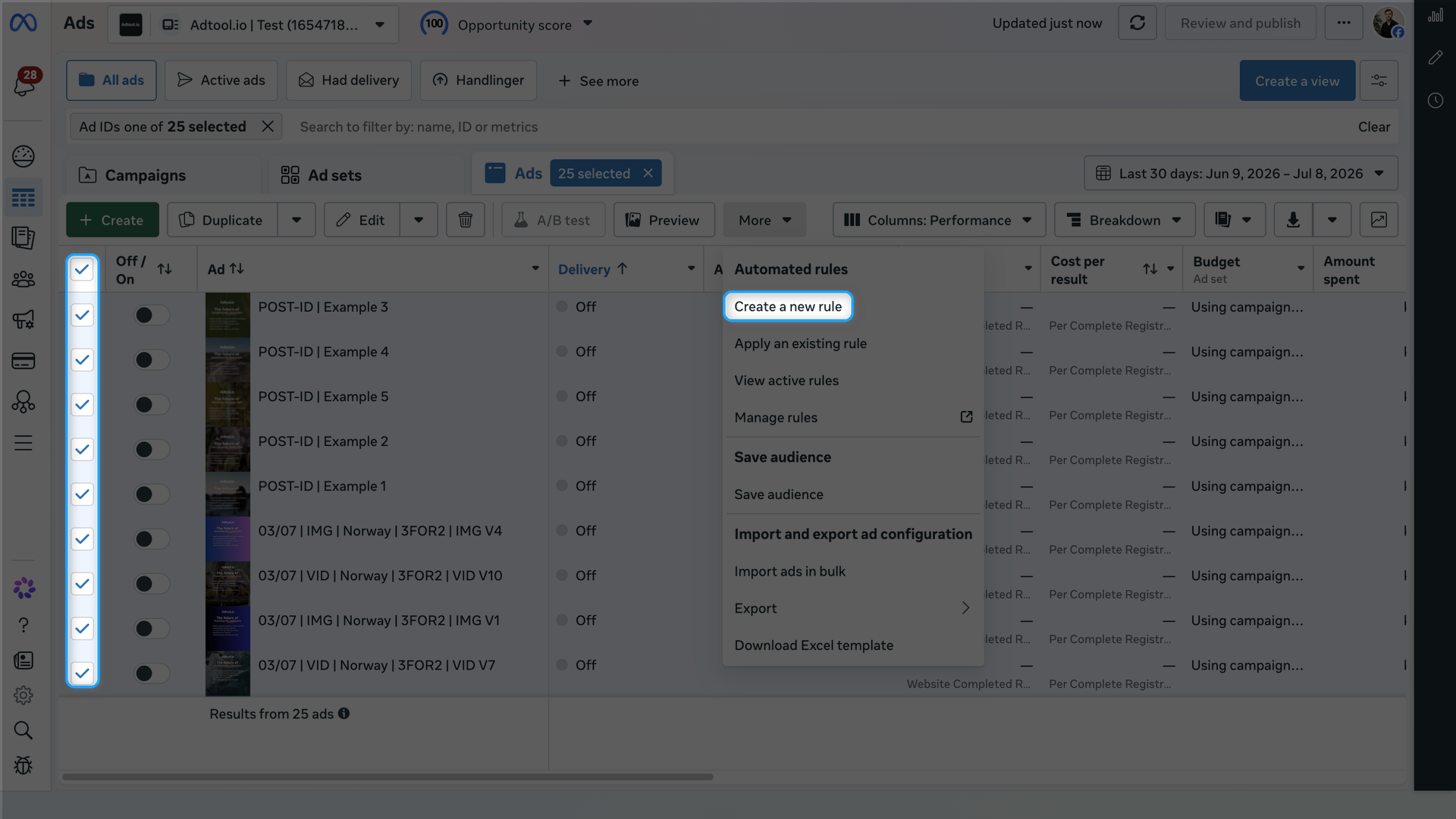
You can use the same flow to apply an existing rule. In the More menu, choose Apply an existing rule instead of Create a new rule.
Was this helpful?
Still need help? Ask the team