Reconnect Meta
Refresh Adtool's Meta connection when Facebook Pages, businesses, Instagram accounts, or ad accounts are missing.
Use this guide when Adtool is missing a Meta asset you should be able to use, such as a Facebook Page, business, Instagram account, or ad account. Reconnecting Meta refreshes the access Adtool reads from your Meta login.
Reconnecting does not give you new permissions inside Meta. If your Meta user does not have access to an asset in Meta Business Manager, you need to get that access in Meta before Adtool can show it.
Video guide
Step-by-step guide
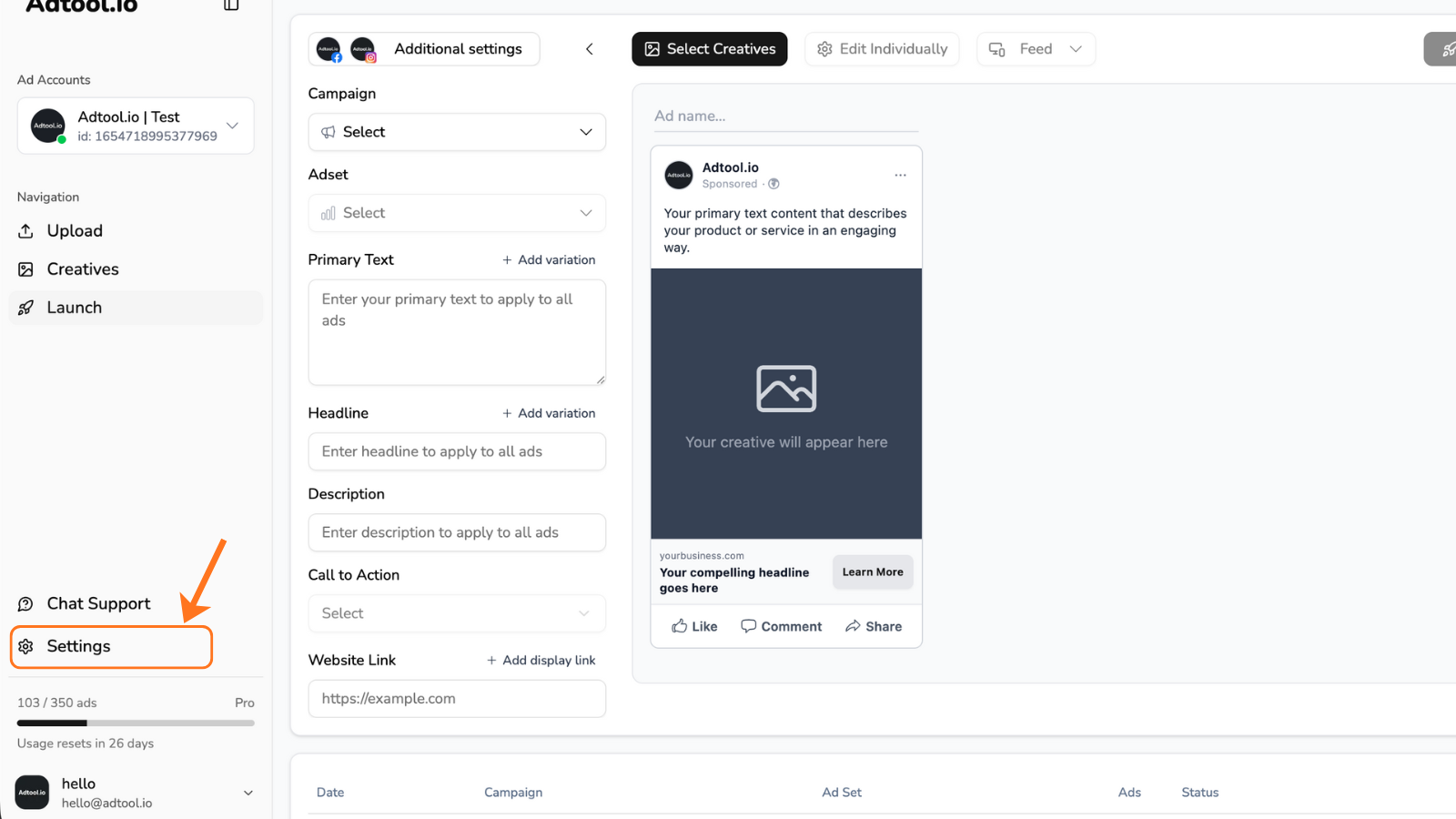
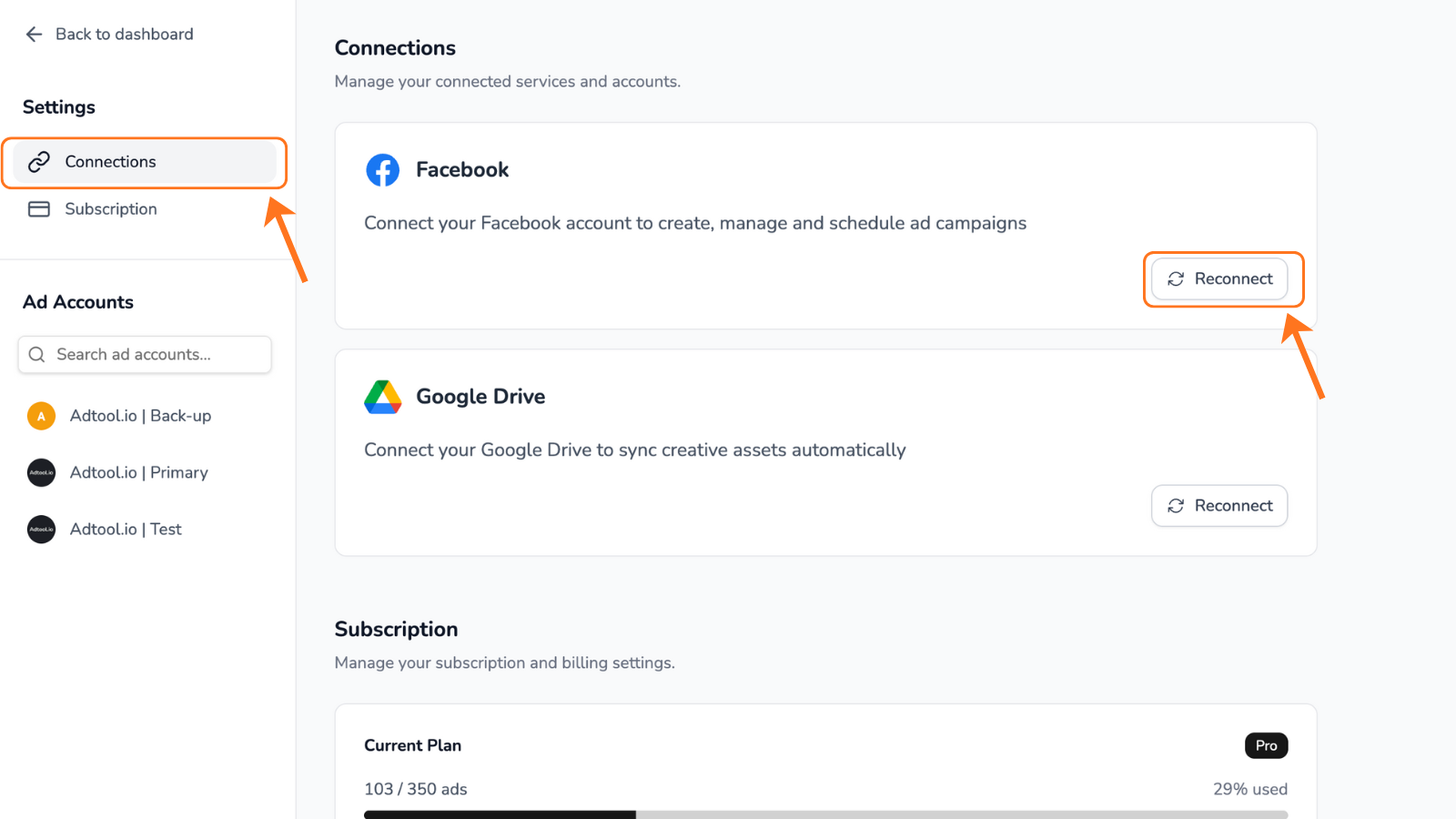
Choose Edit previous settings
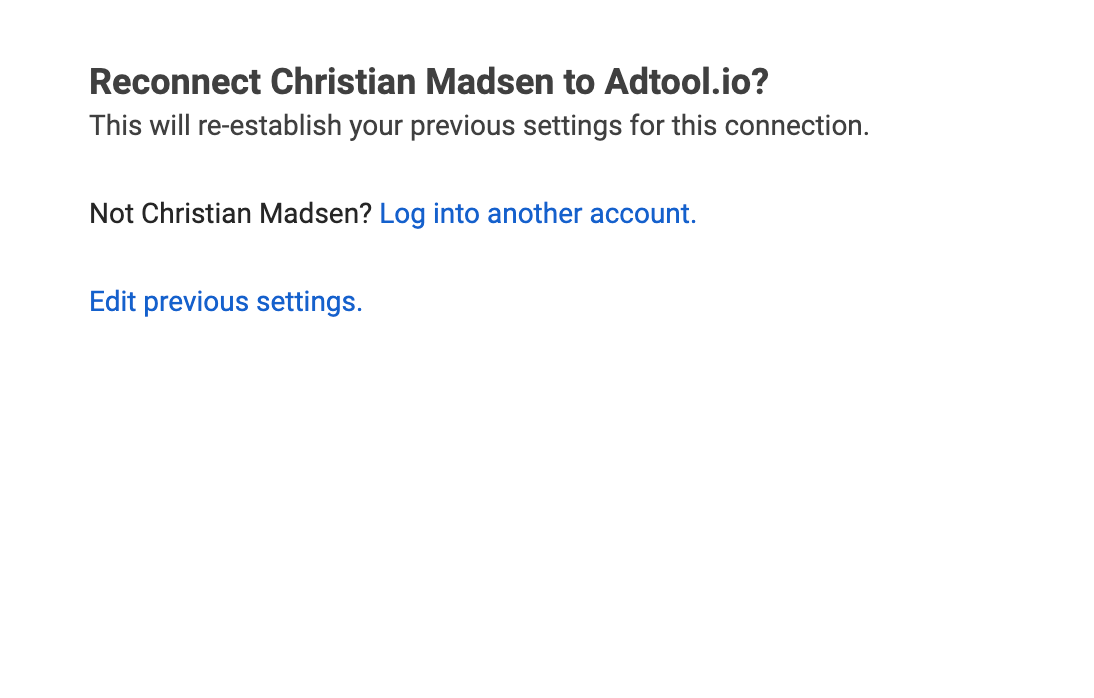
When Meta opens the permission flow, choose Edit previous settings. This lets you review which assets Adtool can access.
Grant access to current and future assets
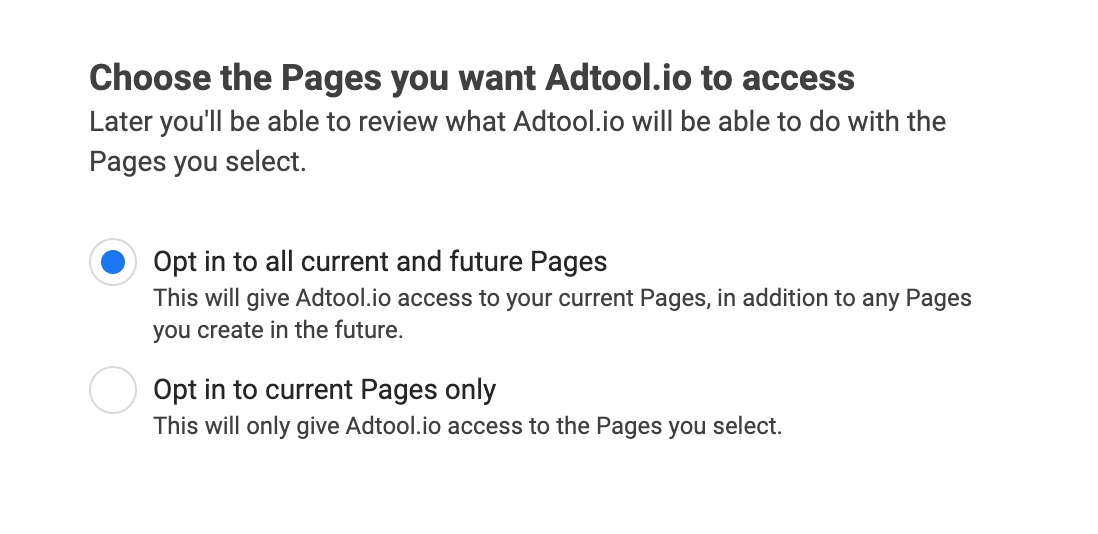
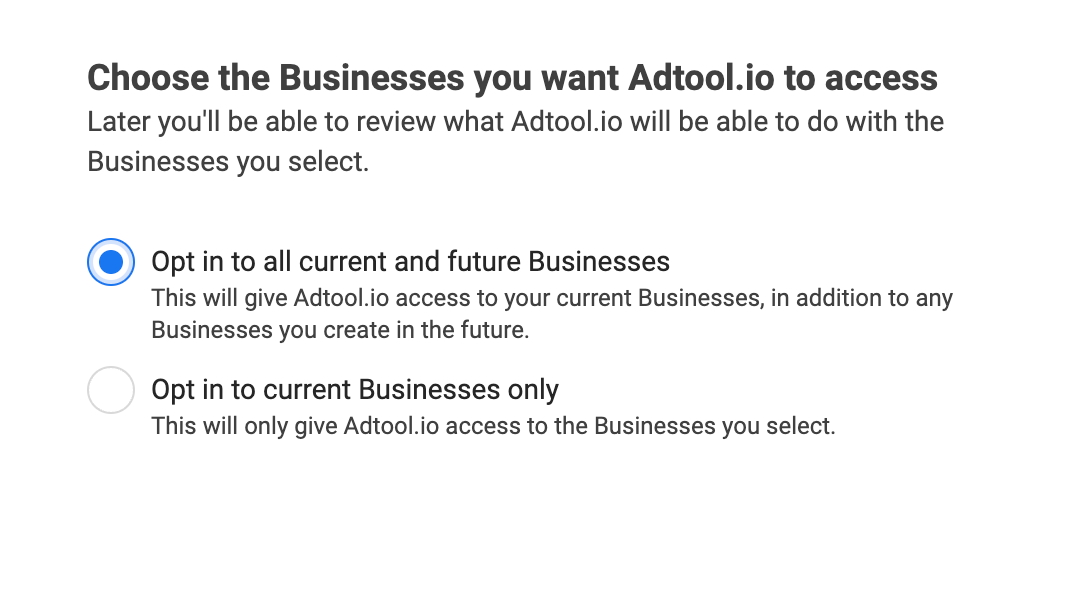
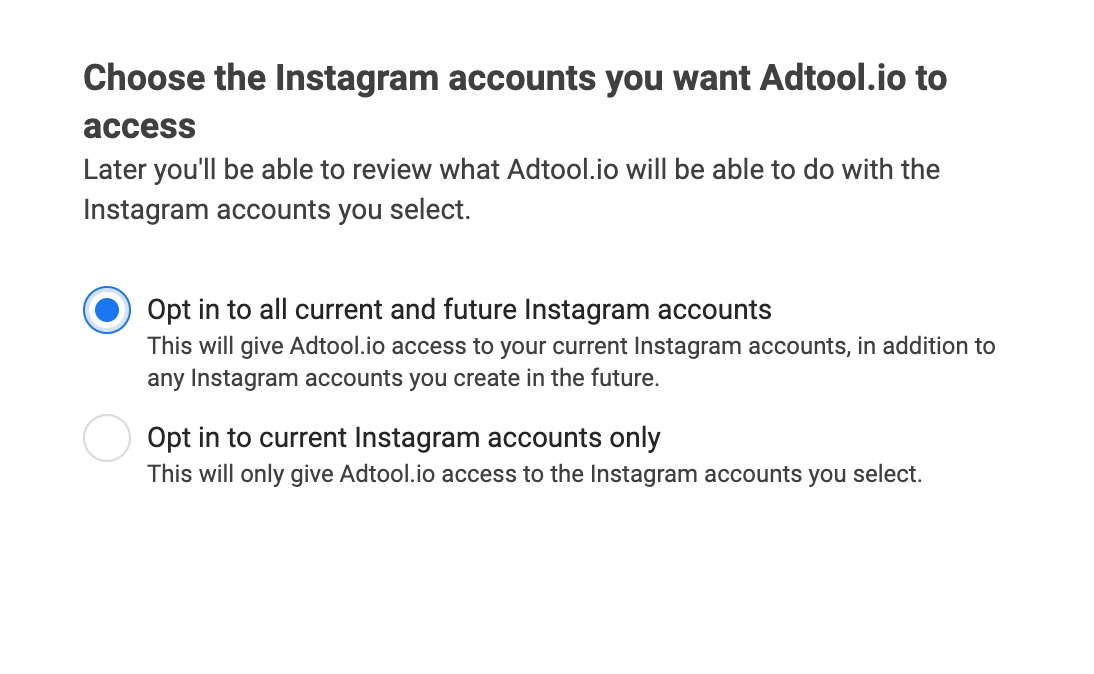
In the Meta permission flow, choose access to all current and future Facebook Pages, businesses, Instagram accounts, and related assets that Adtool should be able to use.
We recommend choosing current and future access. This lets Adtool keep fetching newly added Pages, businesses, Instagram accounts, and related assets without asking you to reconnect every time something new is added in Meta.
If you select assets individually instead, Adtool can only access the specific assets you choose during this permission flow. When new Pages, businesses, Instagram accounts, or related assets are added later, you may need to reconnect Meta again before they appear in Adtool.
Recommendation
Choose current and future access. This lets Adtool keep fetching newly added Pages, businesses, Instagram accounts, and related assets without asking you to reconnect every time something new is added in Meta. If you select assets individually, Adtool can only access the specific assets you choose during this permission flow, and you may need to reconnect Meta again when new assets are added later.
If the asset still does not appear
Check that your Meta user has the right access in Meta Business Manager for the missing Page, business, Instagram account, ad account, or campaign.
If you still have issues after following this guide, contact support and include:
The affected ad account or business
The missing Page, Instagram account, ad account, business, or campaign name
Confirmation that your Meta user has access to the asset in Meta Business Manager
When you reconnected Meta in Adtool
Was this helpful?
Still need help? Ask the team