Event ads
Launch ads that promote a Facebook event, so more people see it and can respond to it.
Event ads promote a Facebook event so it reaches more people and they can respond to it straight from the ad. In Adtool you launch an event ad through the campaign and ad set you set up for event engagement, then choose the Facebook event the ad should point to.
Step-by-step guide
Set up your ad in Launch
Go to Launch in the left navigation and build your ad as usual. Choose the ad account structure, add your creative, and fill in the primary text. When an event ad set is selected, the form shows only Primary Text and Event.
Select the event campaign and ad set
Under Campaign, select the campaign you created for event engagement, then select its Adset. This is the campaign whose objective is engagement with an event.
Select the event
Open the Event dropdown and choose the Facebook event you want the ad to promote. The ad then launches with that event, and people can respond to it straight from the ad.
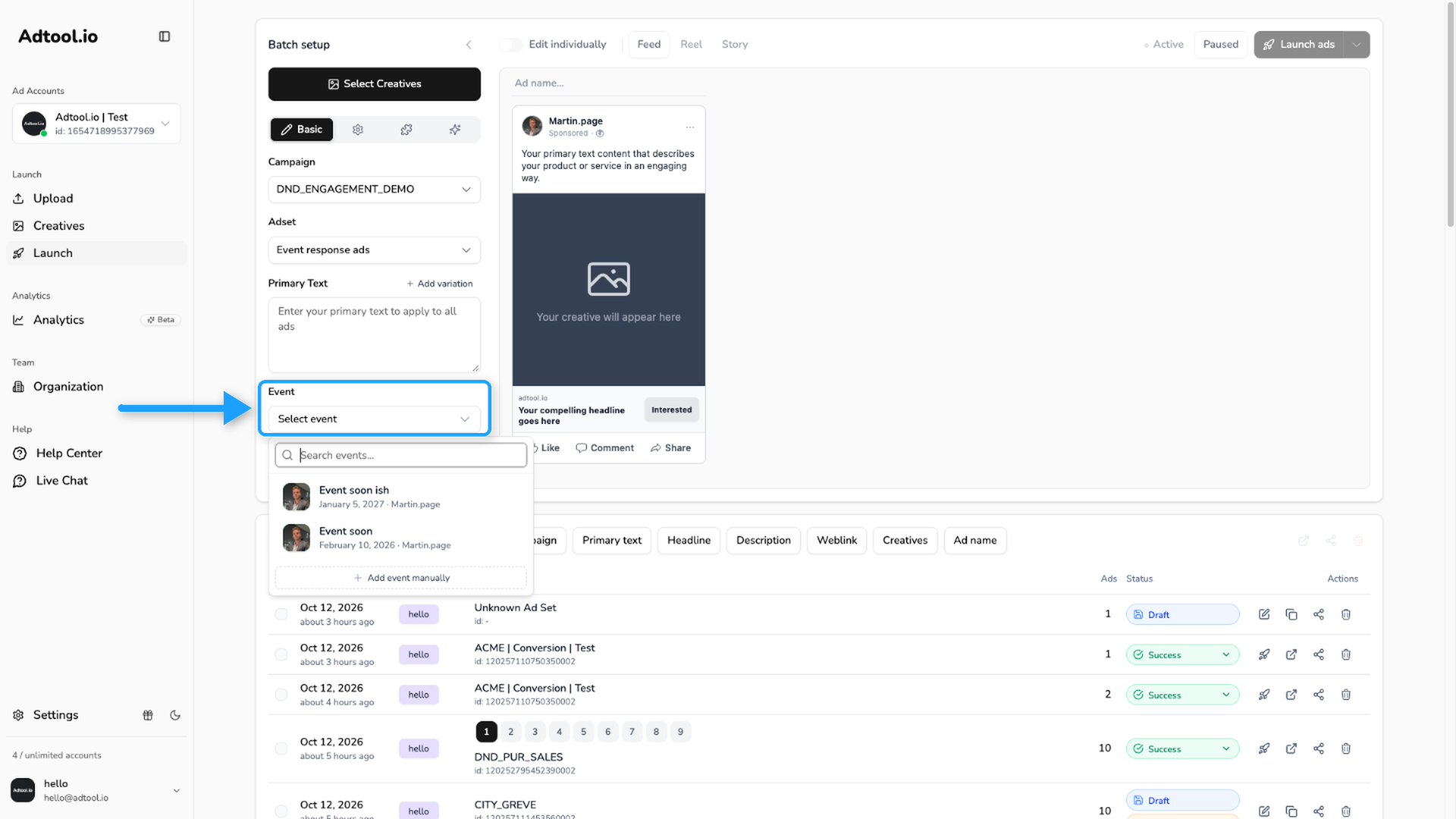
If you do not see your event in the list, you can add it manually. Open the Event dropdown, click + Add event manually, and paste the event's Facebook link or its ID. This helps in the cases where Facebook has not passed your page's events through, even though the event exists on your page.
Was this helpful?
Still need help? Ask the team