Manage connections
Manage connected Meta/Facebook and Google Drive accounts in Adtool, including what to check when a connection is missing or expired.
Use Connections in Settings to manage the external accounts Adtool can access, including Meta/Facebook and Google Drive. Use this page when you need to connect, reconnect, disconnect, or check why an account is not available in Adtool.
What connections mean in Adtool
Connections are the permissions that allow Adtool to access external tools on your behalf. They determine which connected resources Adtool can show and use during workflows such as selecting Meta assets or importing creatives from Google Drive.
The exact accounts and assets you can see depend on both the connection in Adtool and the permissions your user has in the connected platform.
Step-by-step guide
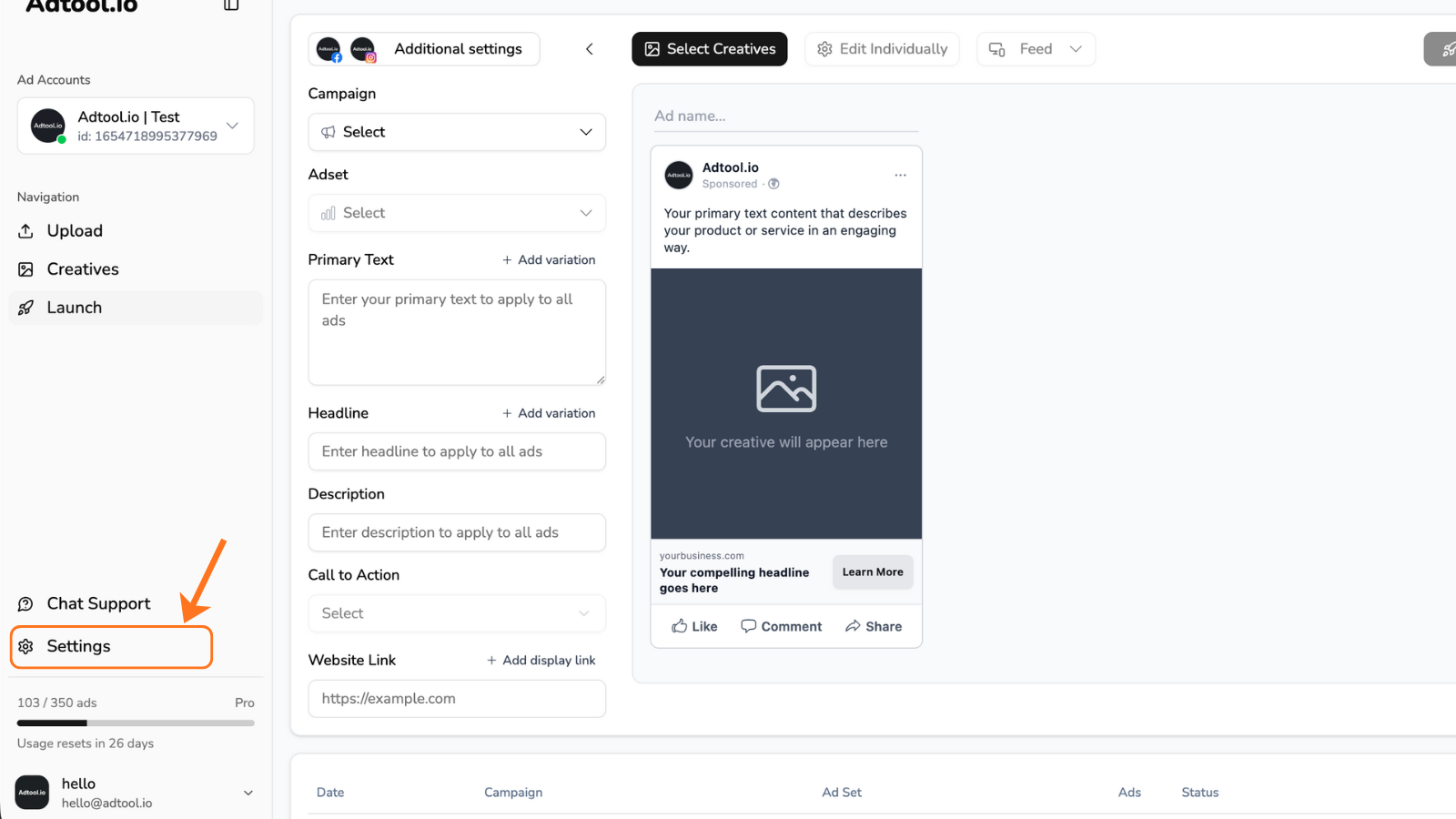
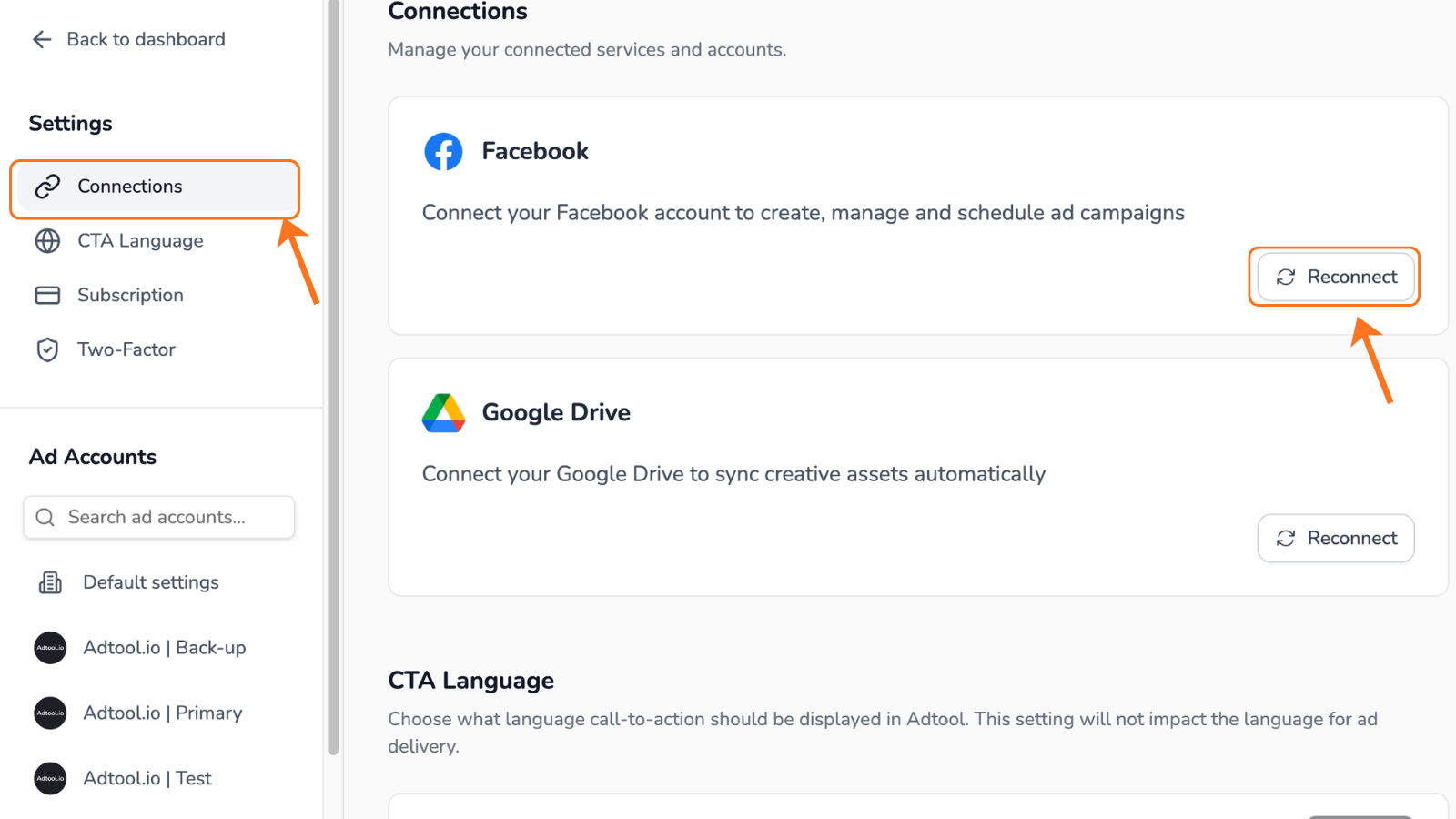
What disconnecting or reconnecting affects
Disconnecting a connection does not automatically change permissions inside Meta/Facebook or Google Drive. It only changes whether Adtool has an active connection for that service.
What to do if an asset does not appear within Adtool
If an asset such as an ad account or Page is missing inside Adtool, check the access source and the Adtool connection:
Common cases
My Meta/Facebook ad account or page is missing
My Meta/Facebook ad account or page is missing
If an ad account is missing, first check that it is connected. Open Organization and look in the Ad accounts section. See Manage ad accounts.
If the account is already connected, or a Page is missing, open Settings, go to Connections, and reconnect Meta/Facebook. If it still does not appear, check that your Meta user has access to the missing asset in Meta and that the required permissions were approved during connection.
My Google Drive files are not available
My Google Drive files are not available
Open Settings, go to Connections, and reconnect Google Drive. Then confirm the connected Google user has access to the files or folders you are trying to use.
I changed permissions in Meta or Google Drive
I changed permissions in Meta or Google Drive
Reconnect the relevant connection in Adtool so the updated permissions can be reflected in your Adtool workflows.
Was this helpful?
Still need help? Ask the team