Creative enhancements
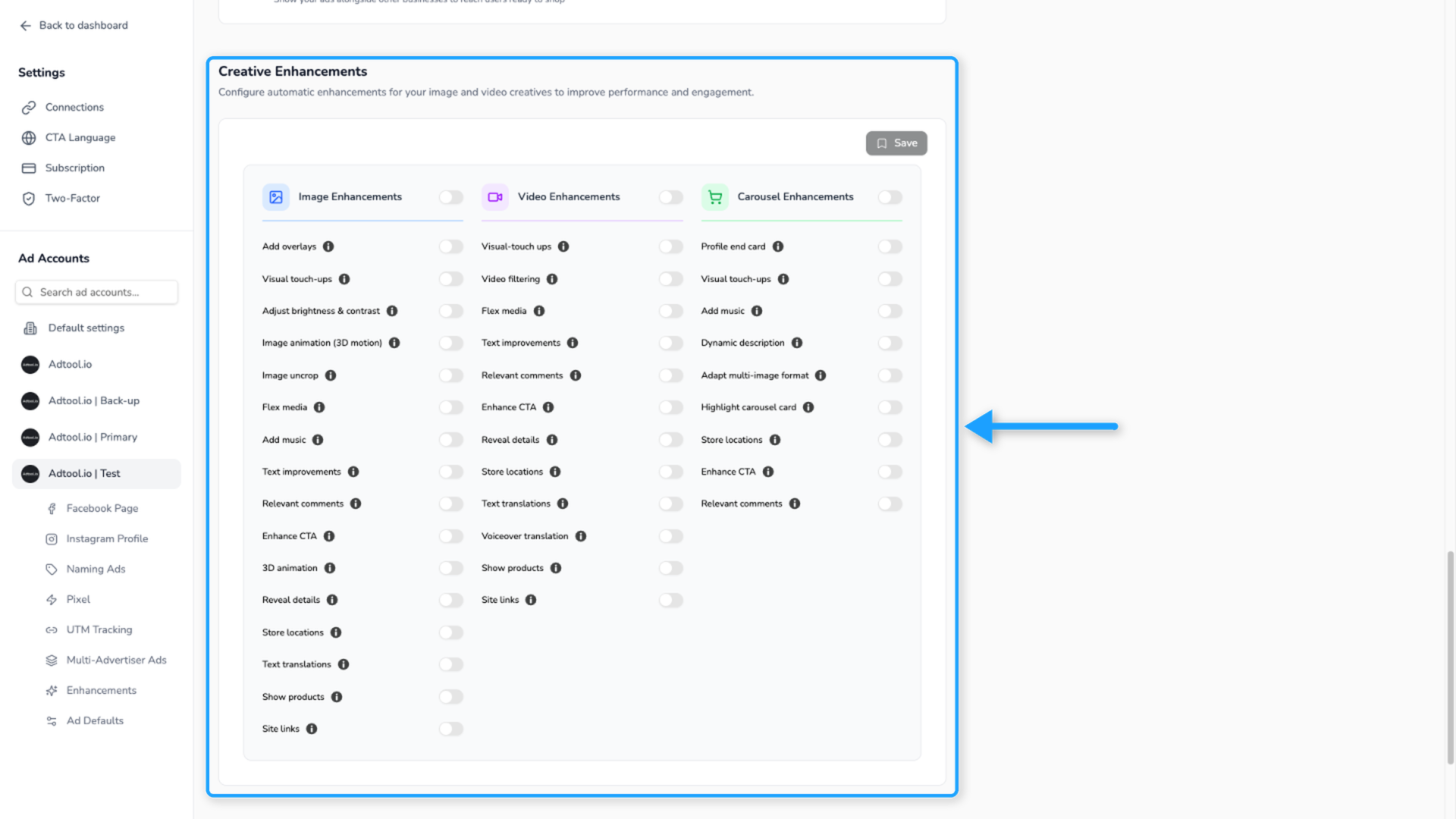
Set organization-wide, selected ad account, or batch-level Creative enhancements defaults in Adtool.
Use default Creative enhancements to control which enhancement settings Adtool starts with when you create launch batches. Creative enhancements can be set at four layers: organization-wide default, selected ad account default, batch-level override, and ad-level override.
How the default layers work
Settings saved as an organization-wide default or selected ad account default apply to future work after saving. Batch-level overrides in Launch only apply to the batch you are creating at that moment.
Set organization-wide default
Use the organization-wide default when every current and future ad account in the organization should start with the same Creative enhancements setup.
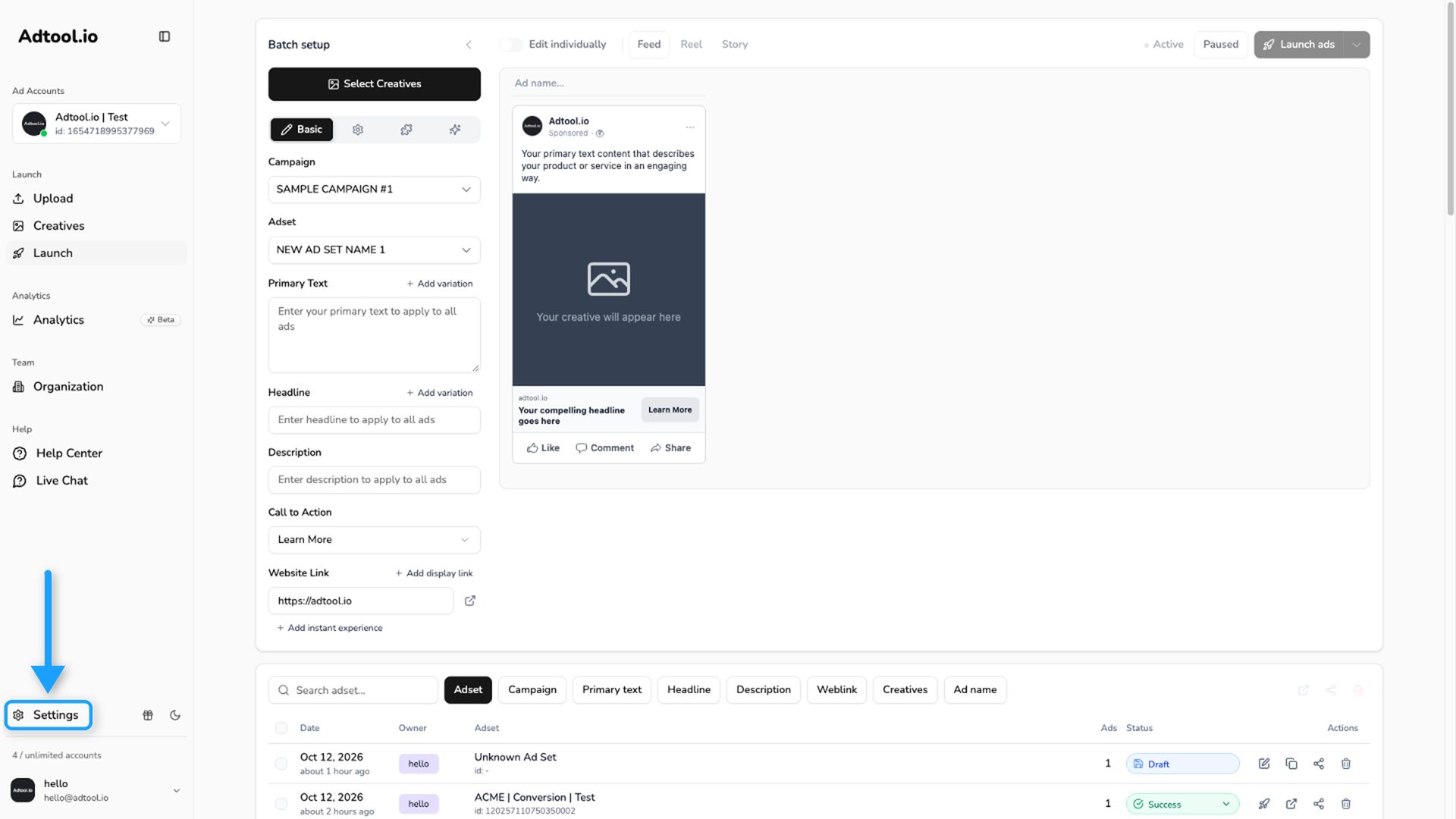
Open Default settings
In the left navigation bar, find the same section where ad accounts are selected. Click the top option, Default settings.
Set ad account default
Use the selected ad account default when one selected account should use a different Creative enhancements setup than the organization-wide default.
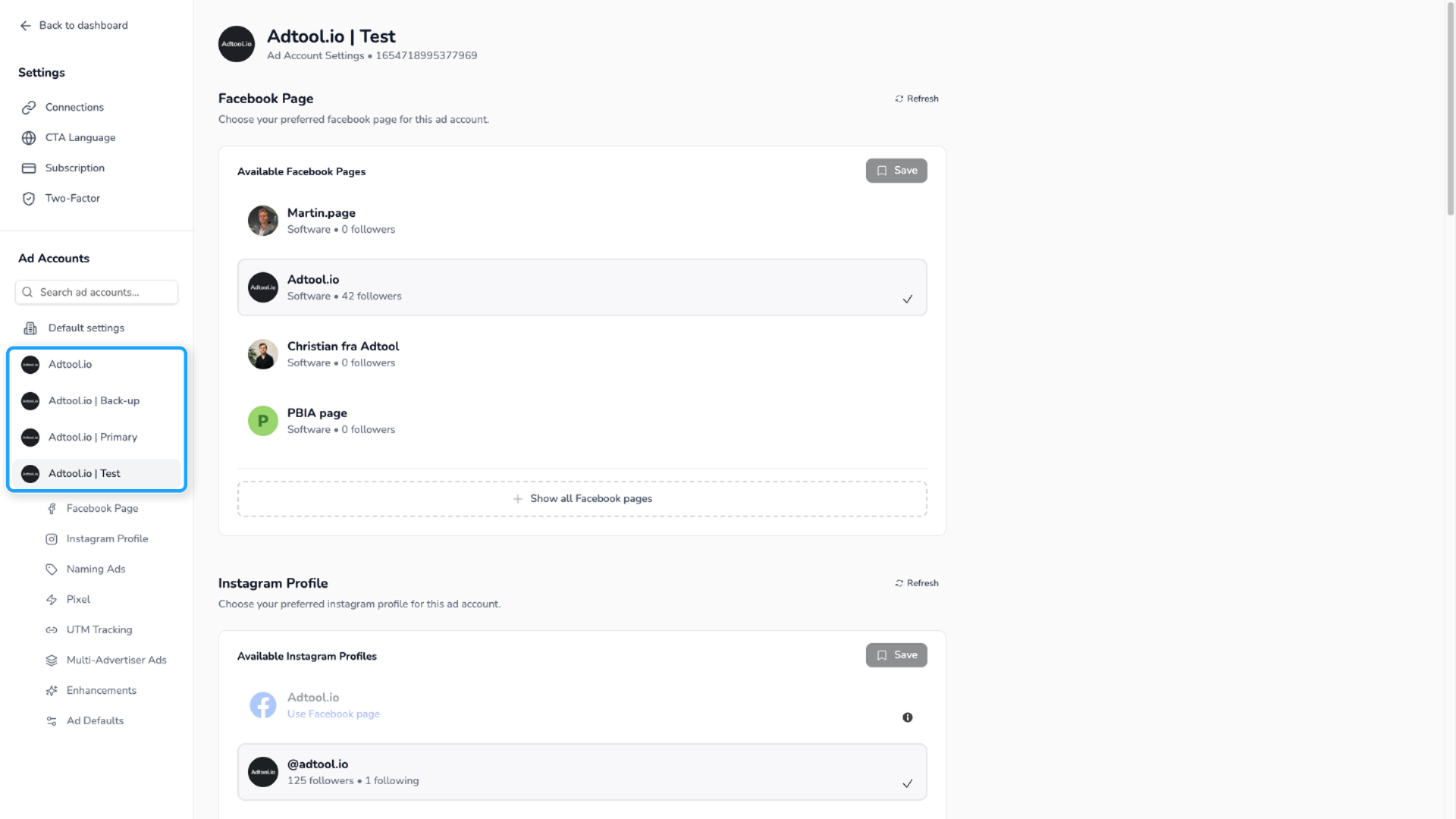
Select the ad account
In the left navigation bar, find the section where ad accounts are selected. Choose the ad account you want to adjust instead of Default settings.
Batch-level adjustment
Use the batch-level override when only the batch you are creating should use a different Creative enhancements setup.
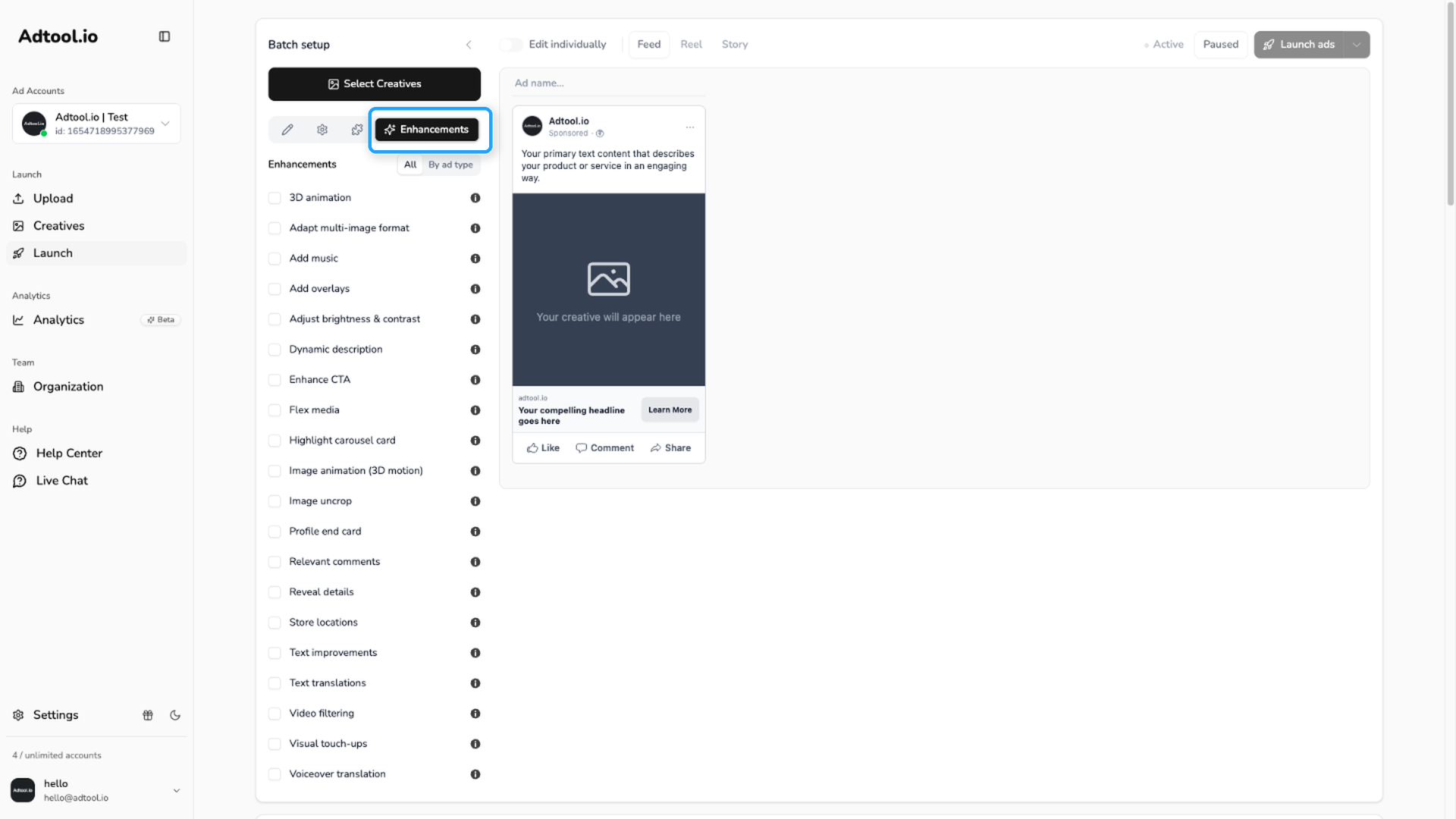
Change Creative enhancements for the batch
Select the enhancements you want for that batch. Show products and Site links are on the Add-ons tab.
Changing Creative enhancements at batch level does not change the saved organization-wide or selected ad account defaults. It only changes the batch being created at that moment.
Ad-level adjustment
Use the ad-level override when a single ad in the batch should use its own Creative enhancements setup.
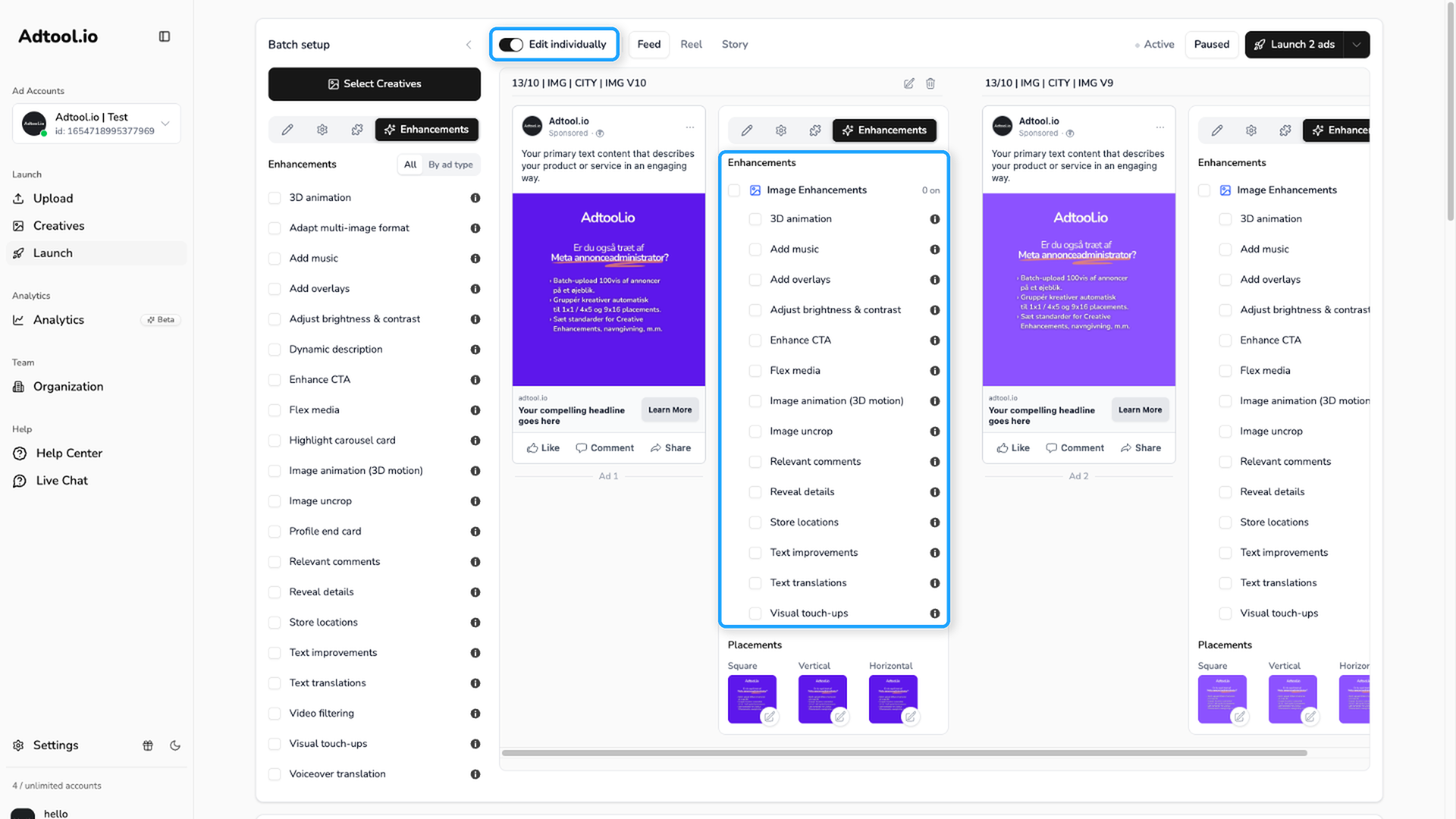
Go to Launch and turn on Edit individually
Go to Launch and turn on Edit individually in the toolbar above the ad previews.
Open the Enhancements tab on the ad card
Each ad card has its own tabs. Open the Enhancements tab on the ad you want to change. The list shows the enhancements for that ad type.
Video Guide
Common use cases
I want the same Creative enhancements setting on every current and future ad account
I want the same Creative enhancements setting on every current and future ad account
Set the organization-wide default from Settings → Default settings → Creative enhancements.
I only want to change one selected ad account
I only want to change one selected ad account
Go to Settings, select the ad account you want to adjust, and update Creative enhancements for that selected account.
I only want to change one launch batch
I only want to change one launch batch
Do not change the saved defaults in Settings. Go to Launch, open the Enhancements tab, and adjust Creative enhancements for that batch.
Was this helpful?
Still need help? Ask the team