Client review
Learn how to let clients approve and comment on your ads from a shared preview link.
Use client review when you need sign-off before ads go live. Your client opens the preview link and approves or comments on each ad, and you follow the feedback in Launch History. The client does not need an Adtool account.
Step-by-step guide
1. Share the preview link with your client
Copy the preview link for the batch and send it to your client.
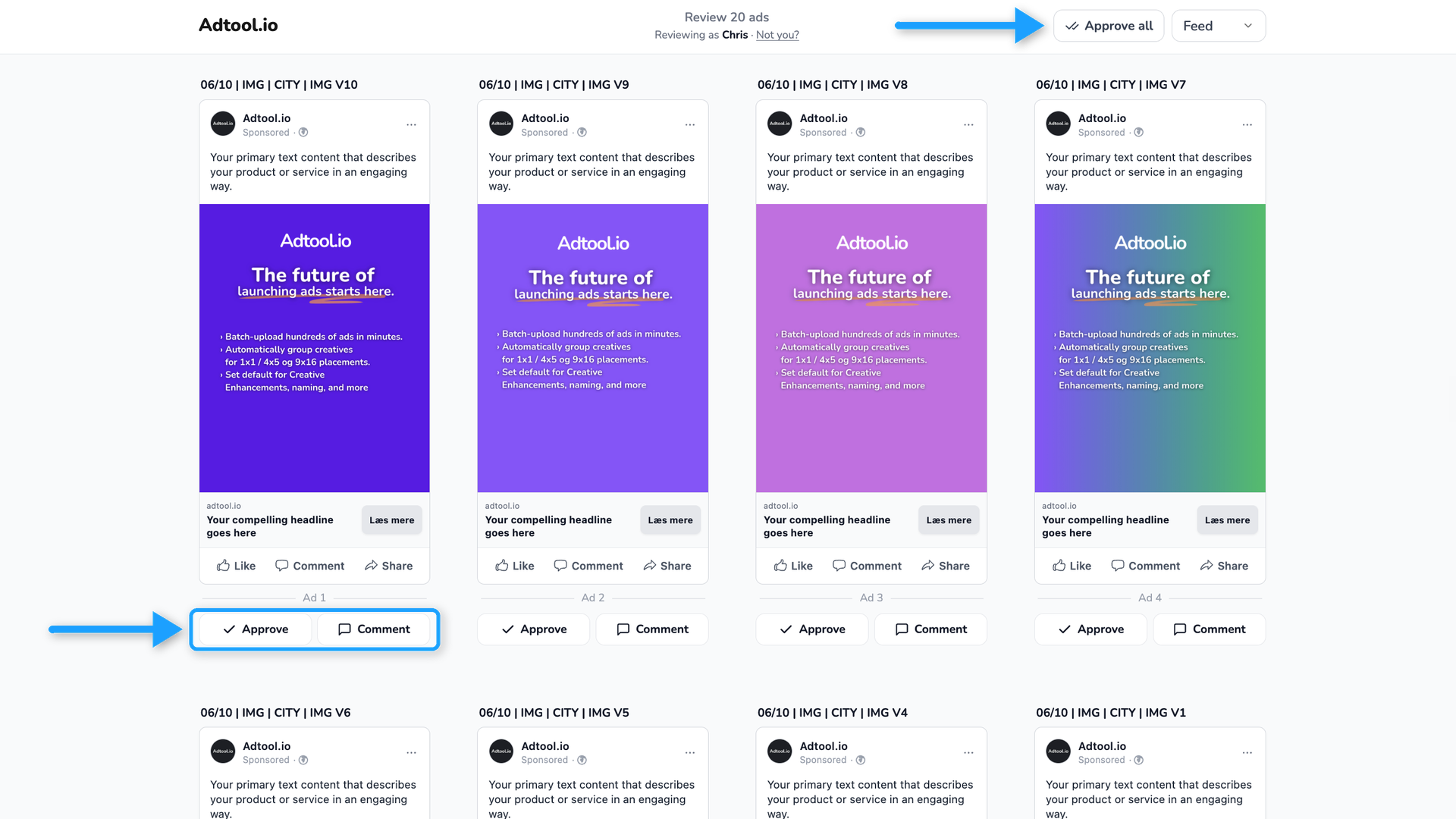
2. Your client reviews the ads
Each ad has an Approve and a Comment button. Approve all approves every ad that is not approved yet. Adtool asks for the client's name the first time they approve or comment.
3. Open the review in Launch History
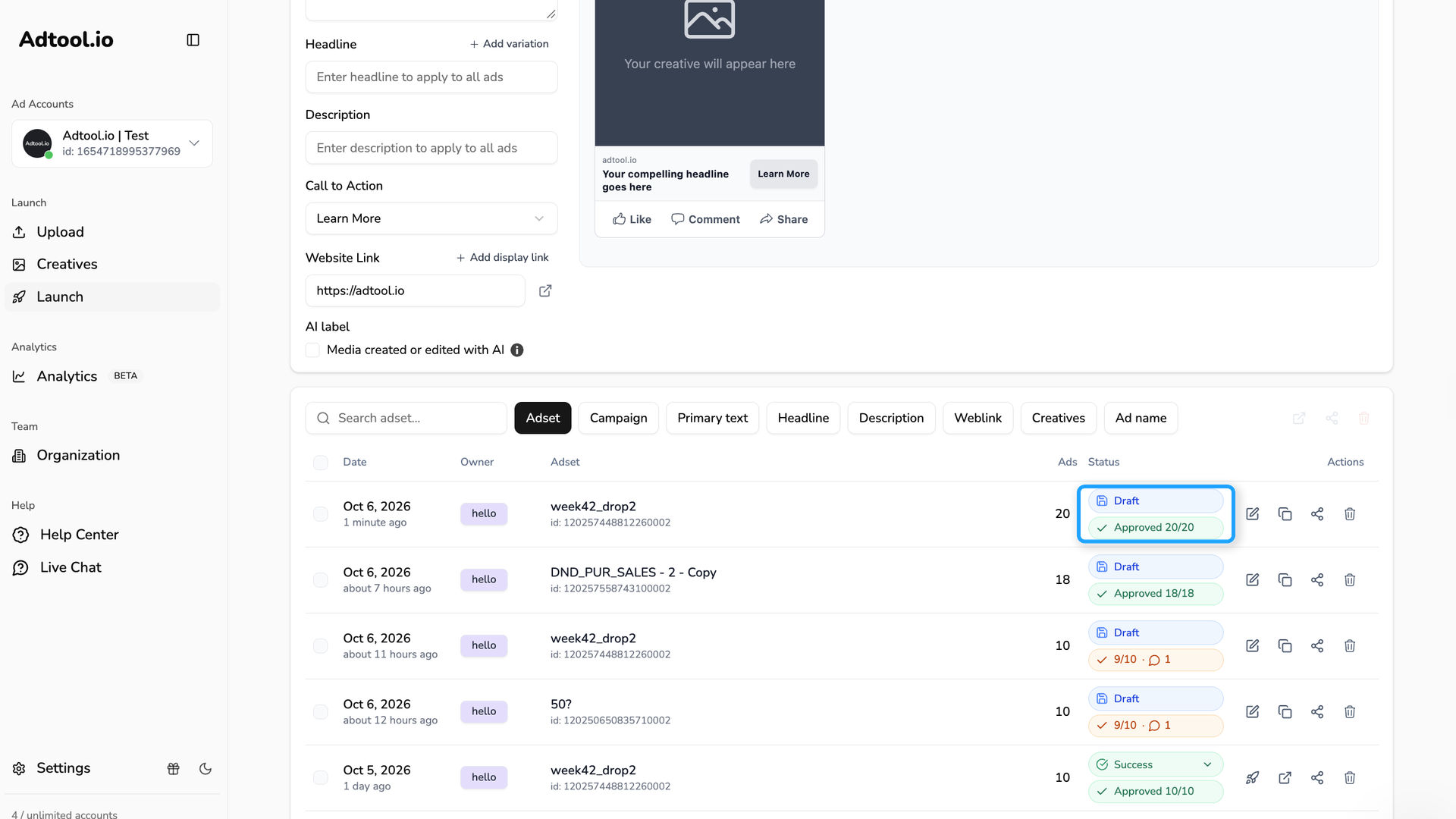
A review label appears under the batch status once the client has approved or commented, for example Approved 20/20. Click the label to open the review.
4. Read the feedback per ad
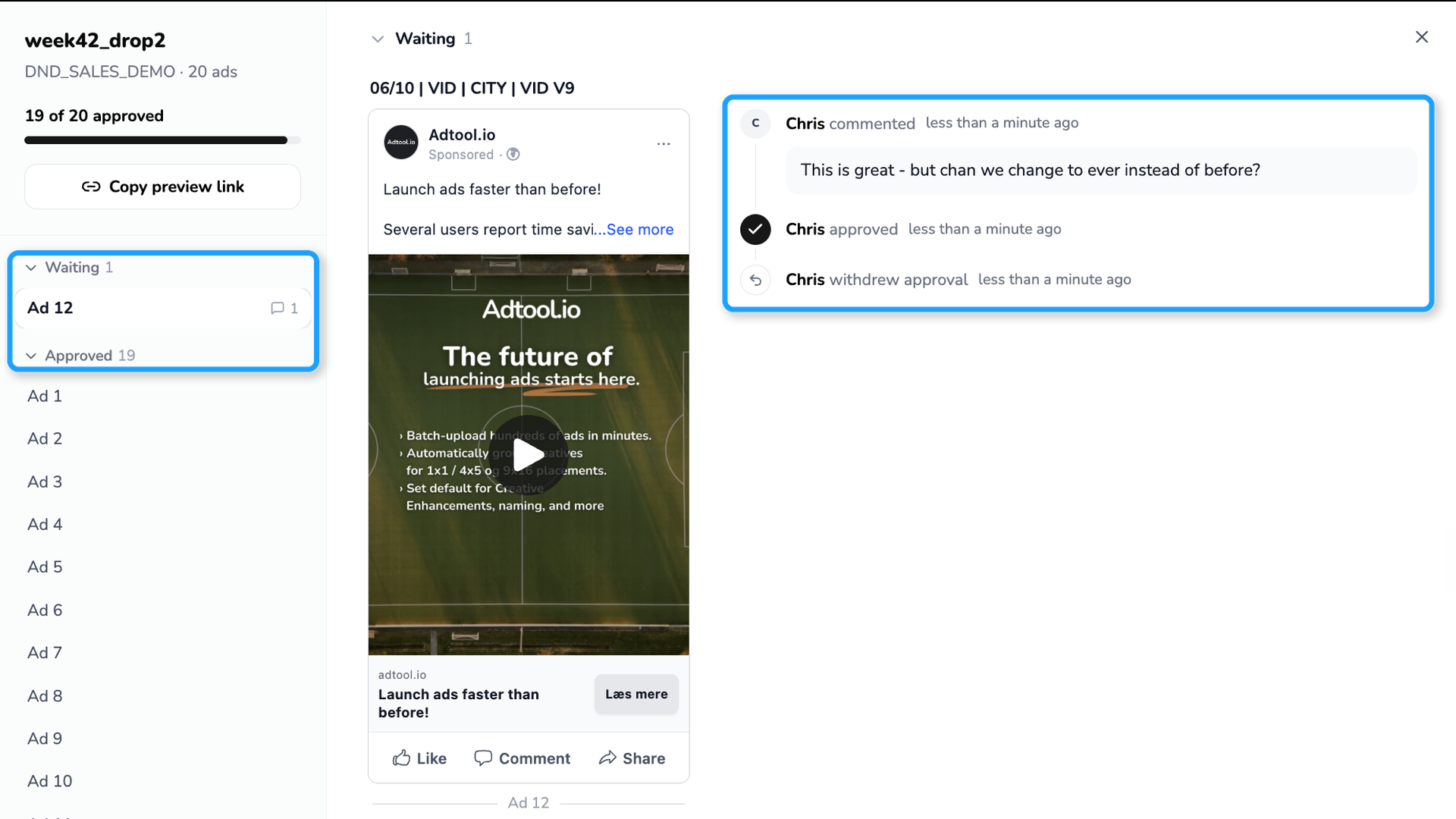
The top of the review shows how many ads are approved. Ads are grouped under Waiting and Approved. Each ad shows its history: who approved, commented or withdrew an approval.
5. Edit and launch
If you edit an ad after the review, the history shows "edited this ad". When you launch, the history shows "launched this ad".
Email when your client has reviewed
Adtool sends you a summary email when your client has reviewed your ads. The email arrives about 10 minutes after the client's last action, so you get one email per review and not one per click.
The email shows:
Who reviewed the ads, and when
How many ads are approved and how many comments the client left
Each comment, with the ad the comment belongs to
An
Open reviewbutton that opens the review in Adtool
If the client approved every ad, the email says so at the top, for example "All 10 ads approved by Anna".
Markers in Adtool
A red marker appears on Launch in the sidebar when a client has left new feedback. The marker also appears on the ad account selector if the feedback is on another ad account.
Only the person who created the ads gets the email and the markers.
The client is not notified when you edit an ad.
An edit does not remove an approval.
Ads you remove from the batch move to
Removed adsin the review. The client no longer sees them.The client's name is remembered in their browser for future links.
Still need help? Ask the team