Placement mapping
Choose which creative in a placement group Meta shows in each placement, for one ad account or for your whole organization.
Use placement mapping when you upload more than one format for the same ad and want to decide where each format runs.
A placement group has three slots: Vertical, Square and Horizontal. Adtool puts each creative in a slot when it groups your creatives. Placement mapping tells Meta which slot to use in each placement. Until you change a placement, Adtool uses its standard setup. The previews in Launch and your preview links follow the setting too.
How the default layers work
When you change Placements on an ad account, that ad account keeps its own setup. Later changes to the organization-wide default do not apply to it. There is no batch-level or ad-level override: every new ad in the ad account follows the setting.
Which creative is in which slot
The slot of a creative depends on all the formats in its group, not only on its own format. A 1:1 is in Square when it is the only square or portrait format in the group. When the group also has a 4:5, the 4:5 takes Square and the 1:1 moves to Horizontal.
On the grouping screen, hover a creative in a placement group to see its slot.
If your group has both a 4:5 and a 1:1, choose Horizontal for the placements that must get the 1:1. Square sends the 4:5.
Step-by-step guide
Open Placements in Settings
Click Settings in the sidebar footer. Under Ad settings, click Organization defaults to set placement mapping for every ad account, or click an ad account to set it for that ad account only. Then open Placements. It is the last section.
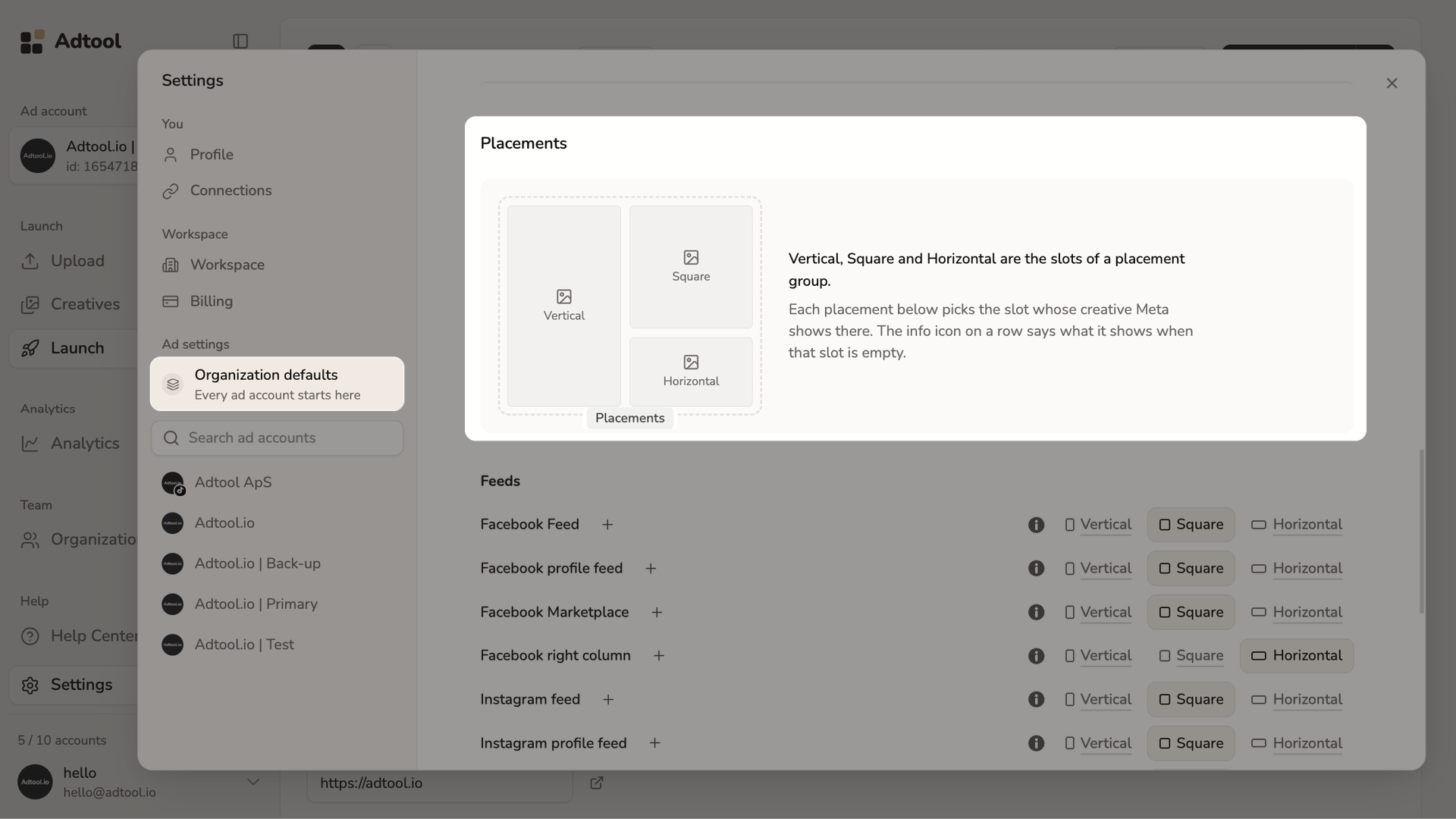
Choose a slot for each placement
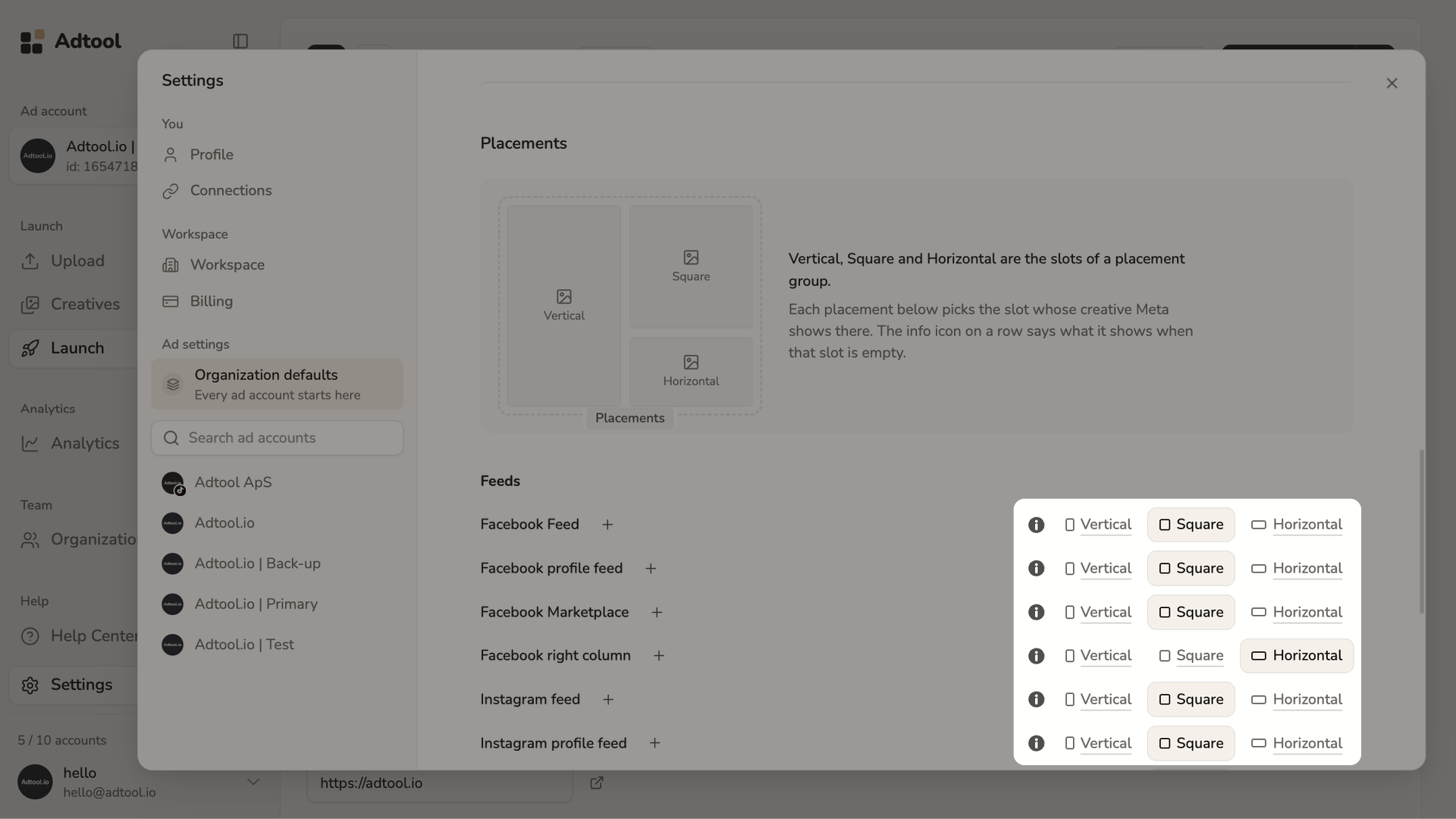
The placements are listed in three groups: Feeds, Stories and Reels, and In-stream, search and apps. On each row, click Vertical, Square or Horizontal. Adtool saves the change right away.
The info icon on a row tells you which slot Meta uses in that placement, and which slot it uses when that slot is empty.
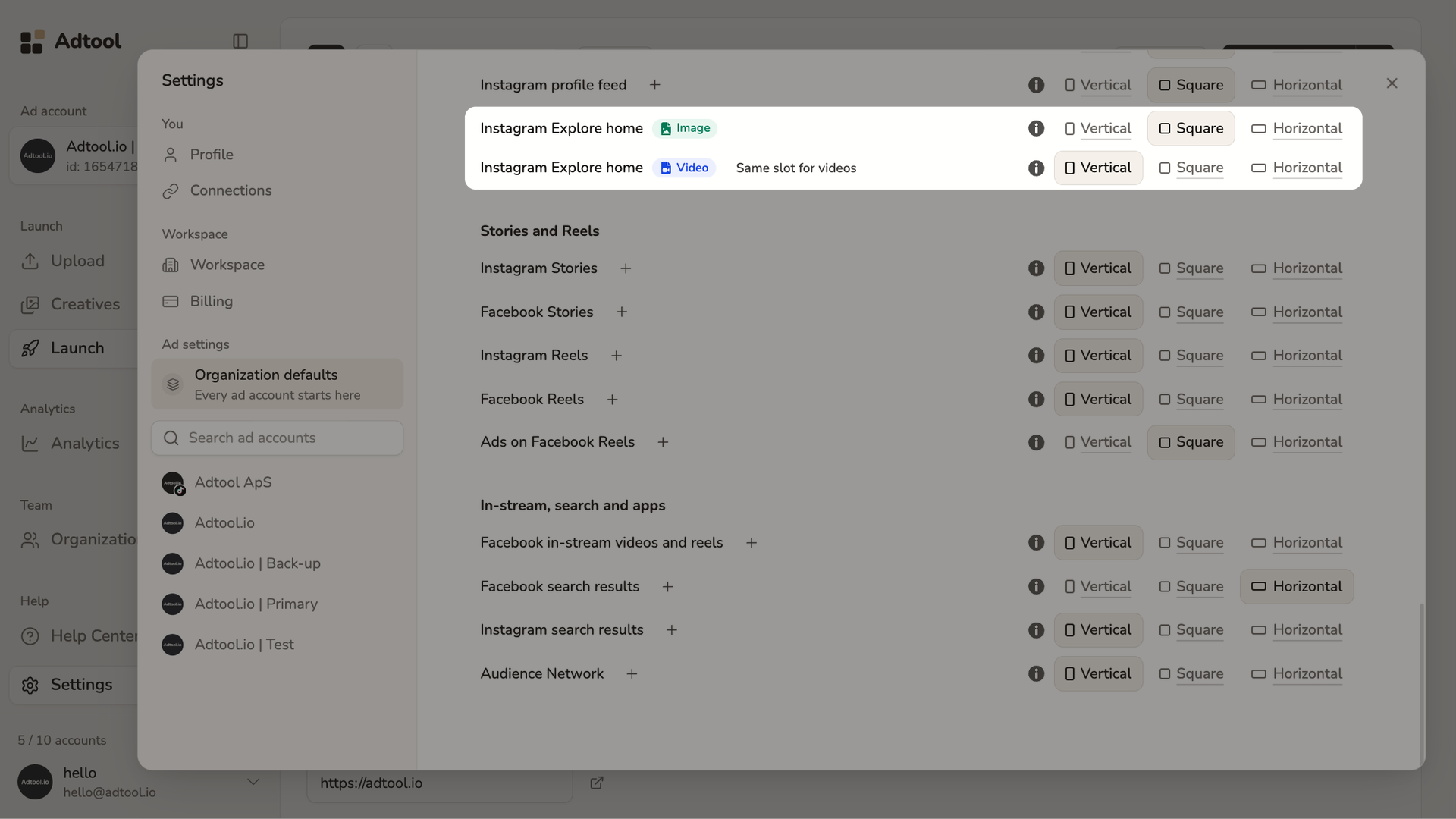
Choose a different slot for videos
A row sets image ads and video ads together. To give video ads their own slot, hover the placement name and click + Different slot for videos. The row splits into an Image row and a Video row, and you choose a slot on each.
To use one slot for both again, click Same slot for videos. The row then uses the slot of the Image row. Instagram Explore home starts split, because its standard is Square for images and Vertical for videos.
To undo all your changes, click Reset to standard above the list. The button shows when at least one placement is changed.
Example: 1:1 on Facebook, 4:5 in the Instagram feed
This setup is for ads with a 9:16, a 4:5 and a 1:1 in each placement group.
The same setup also works for ads with only a 1:1 and a 9:16. The 1:1 is then in Square, and a placement set to Horizontal uses Square when Horizontal is empty.
Good to know
When the slot you chose is empty, Meta uses another slot. An empty
HorizontalusesSquare, andVerticalwhenSquareis empty too. An emptySquareusesVertical, and an emptyVerticalusesSquare.The setting applies to new ads. Ads you launched before keep their setup.
Ads with one creative, carousel ads, catalog ads, flexible ads and organic post ads do not use placement mapping.
A placement group holds up to three creatives, one per slot. You cannot add a fourth format, for example a 16:9 next to a 9:16, a 4:5 and a 1:1, or a second 9:16 for Stories next to one for Reels.
Threads has no row and keeps Meta's default.
Read more: 3-placement grouping and 2-placement grouping.
Was this helpful?
Still need help? Ask the team