Launch Instant Forms
Launch Meta lead ads that use an Instant Form, and create new forms without leaving Adtool.
Use Instant Forms when you want people to sign up or share their details directly on Facebook or Instagram instead of visiting your website. In Adtool you choose the form while setting up the ad, and you can create a new one without leaving the launch flow.
Step-by-step guide
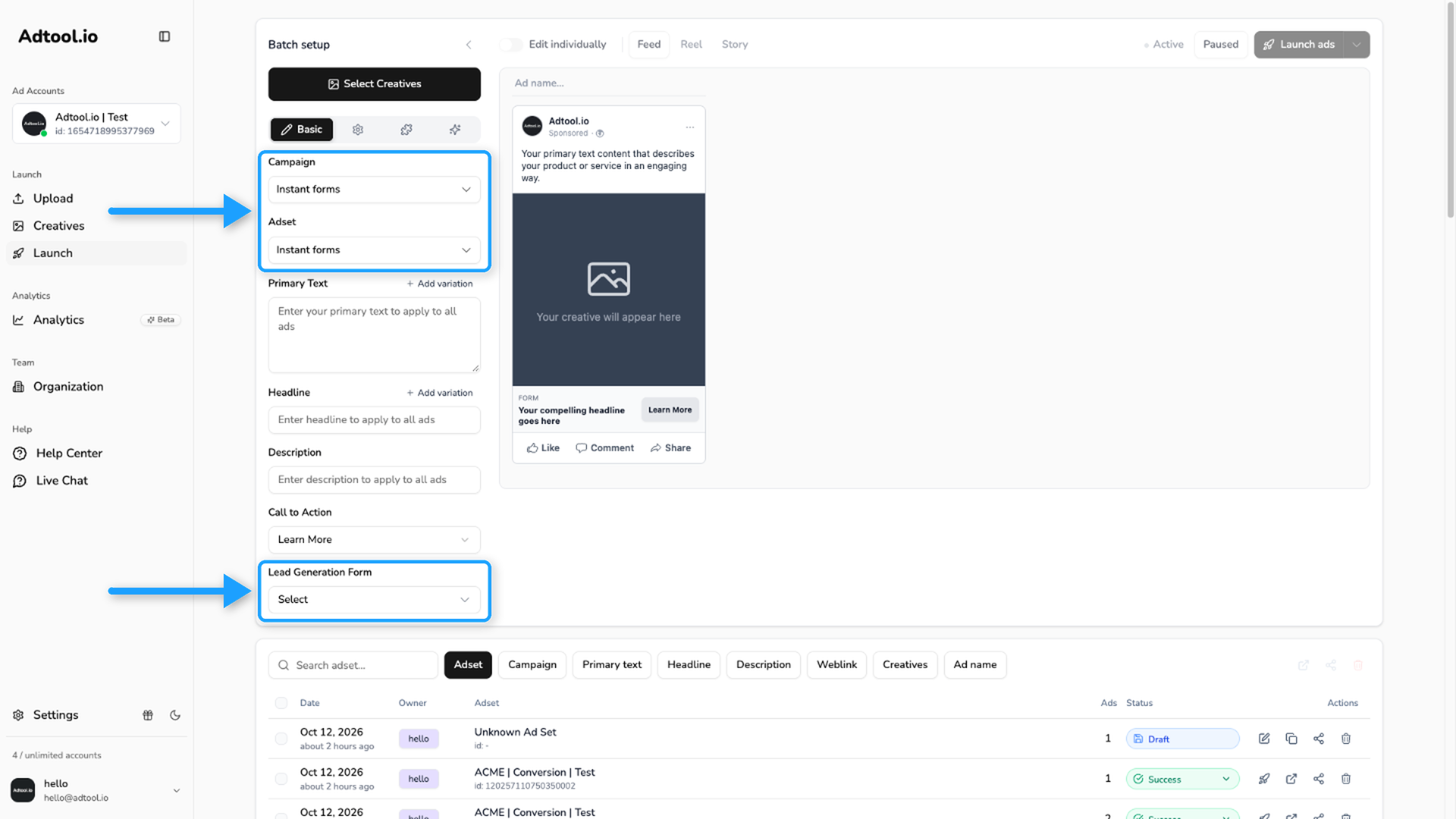
Select an Instant Forms campaign and ad set
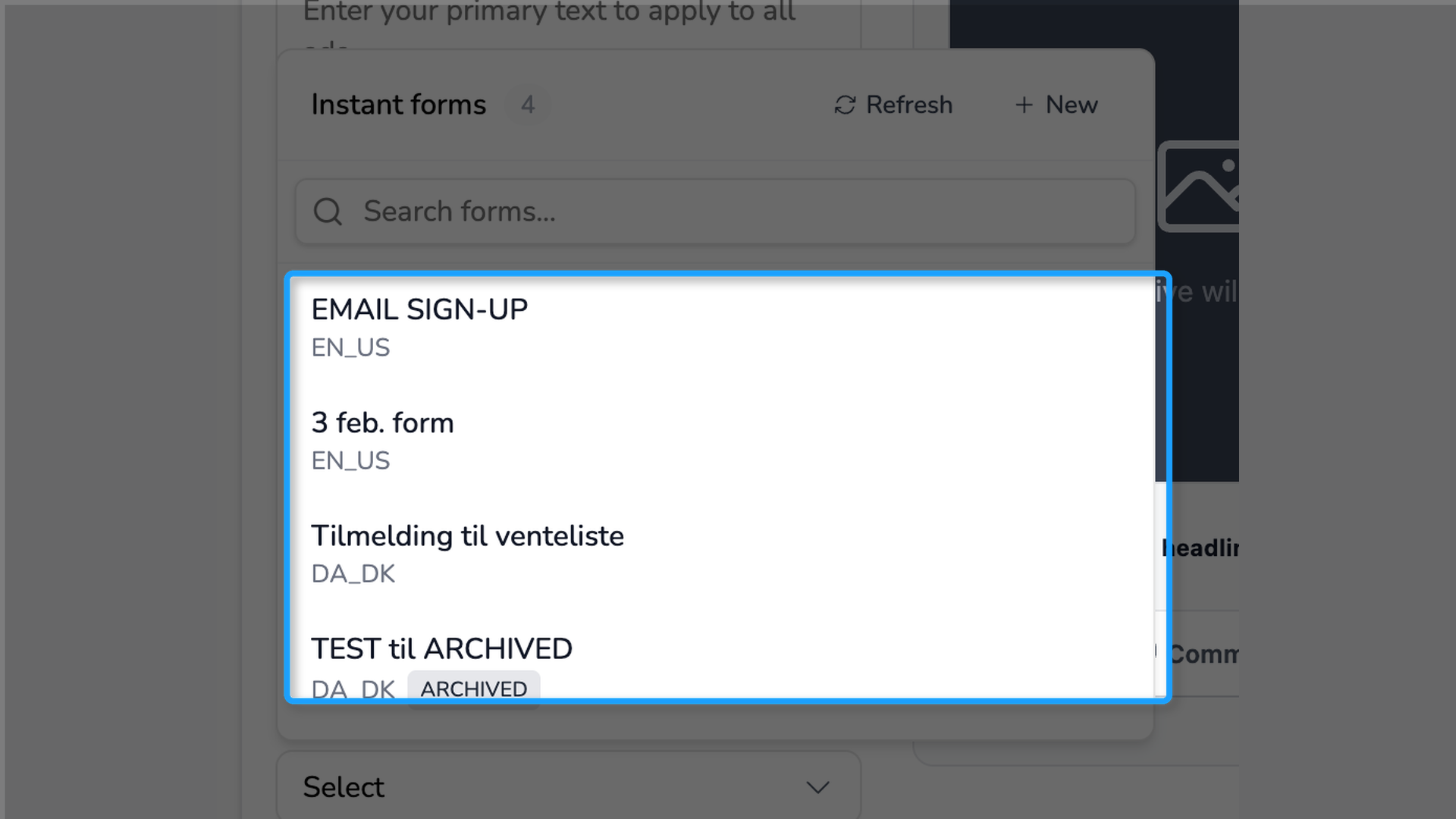
In Launch, select a campaign and ad set that are set up for Instant Forms in Meta. Once you do, a Lead Generation Form field appears, where you choose which form the ad uses.
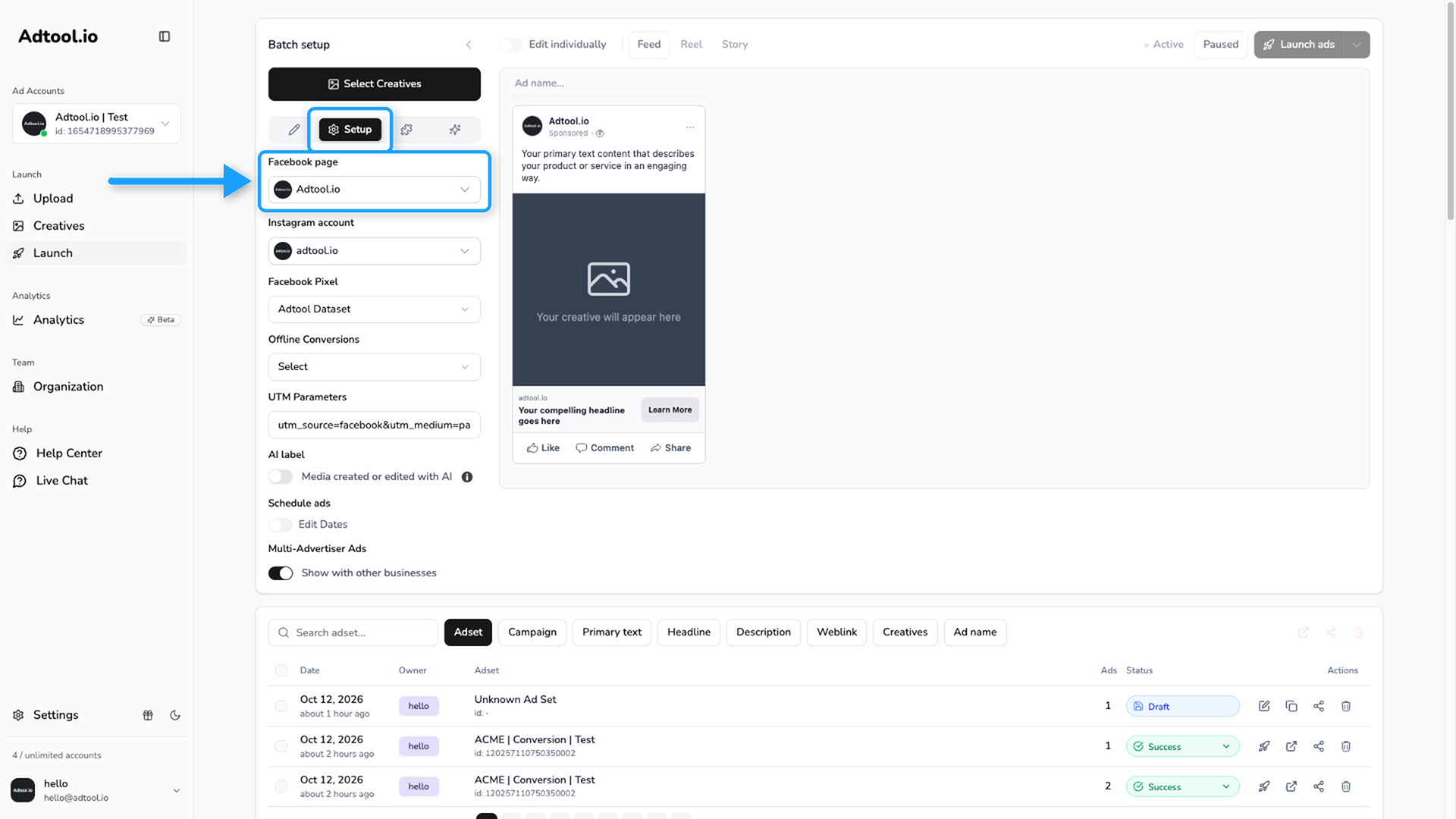
Match the Facebook page on the Setup tab
Open the Setup tab and make sure the selected Facebook page matches the page set on the ad set in Meta. The Instant Forms only sync into the selector when both pages are the same.
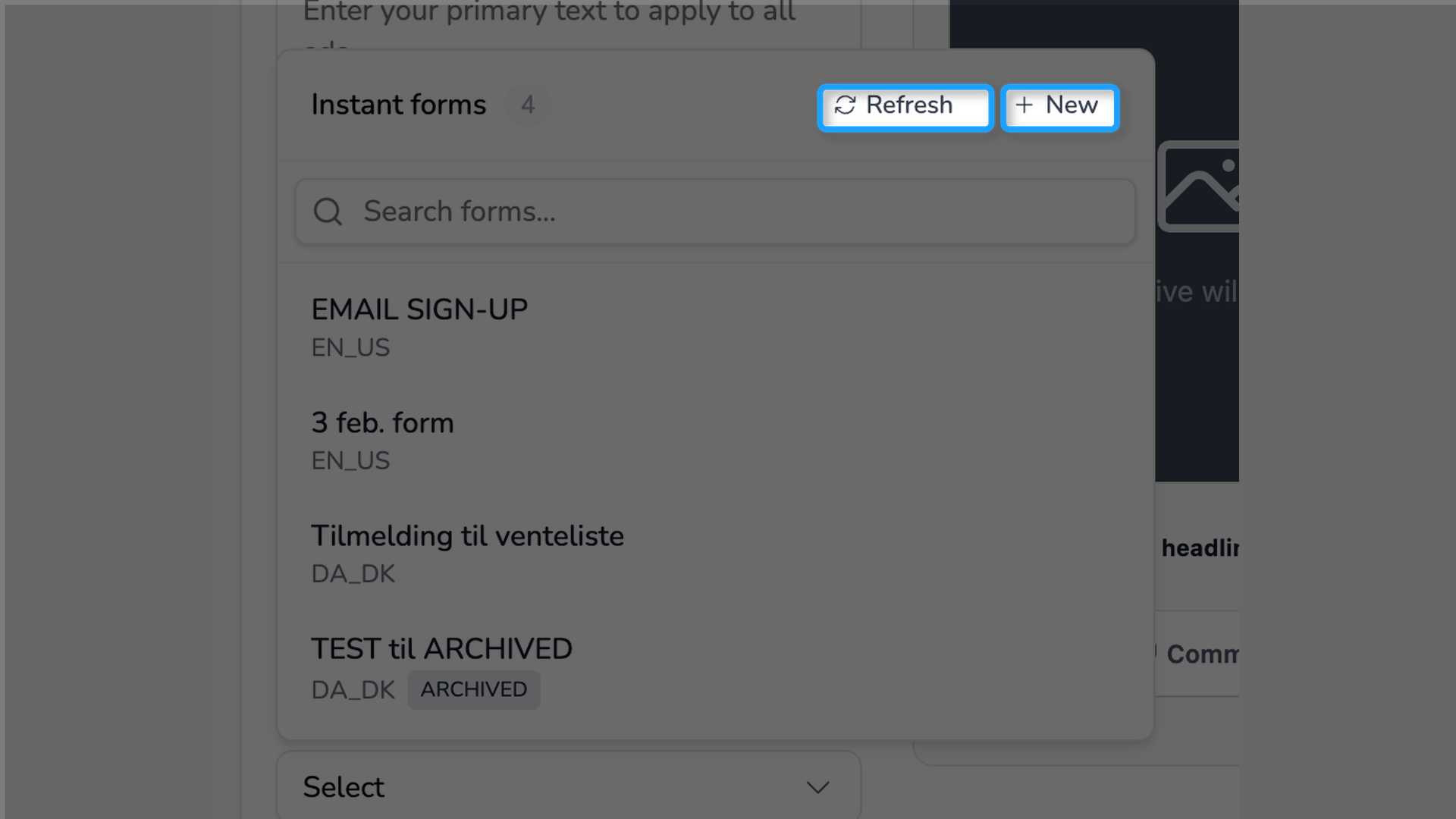
How to create a new Instant Form
If the form you need does not exist yet, open the Lead Generation Form selector and click New. Adtool opens Meta in a new tab for that account, where you can build the form. Once it is created, return to Adtool and click Refresh to make it appear in the list.
Was this helpful?
Still need help? Ask the team