Multi-language ads
Learn how to enable language ads, add localized copy, select creatives, and launch multi-language ads in Adtool.
Use multi-language ads when you want to launch the same campaign structure with localized copy and creatives for multiple languages. Adtool lets you enable language ads from the launch settings, choose the languages, and then add language-specific copy and creatives before launching.
Step-by-step guide
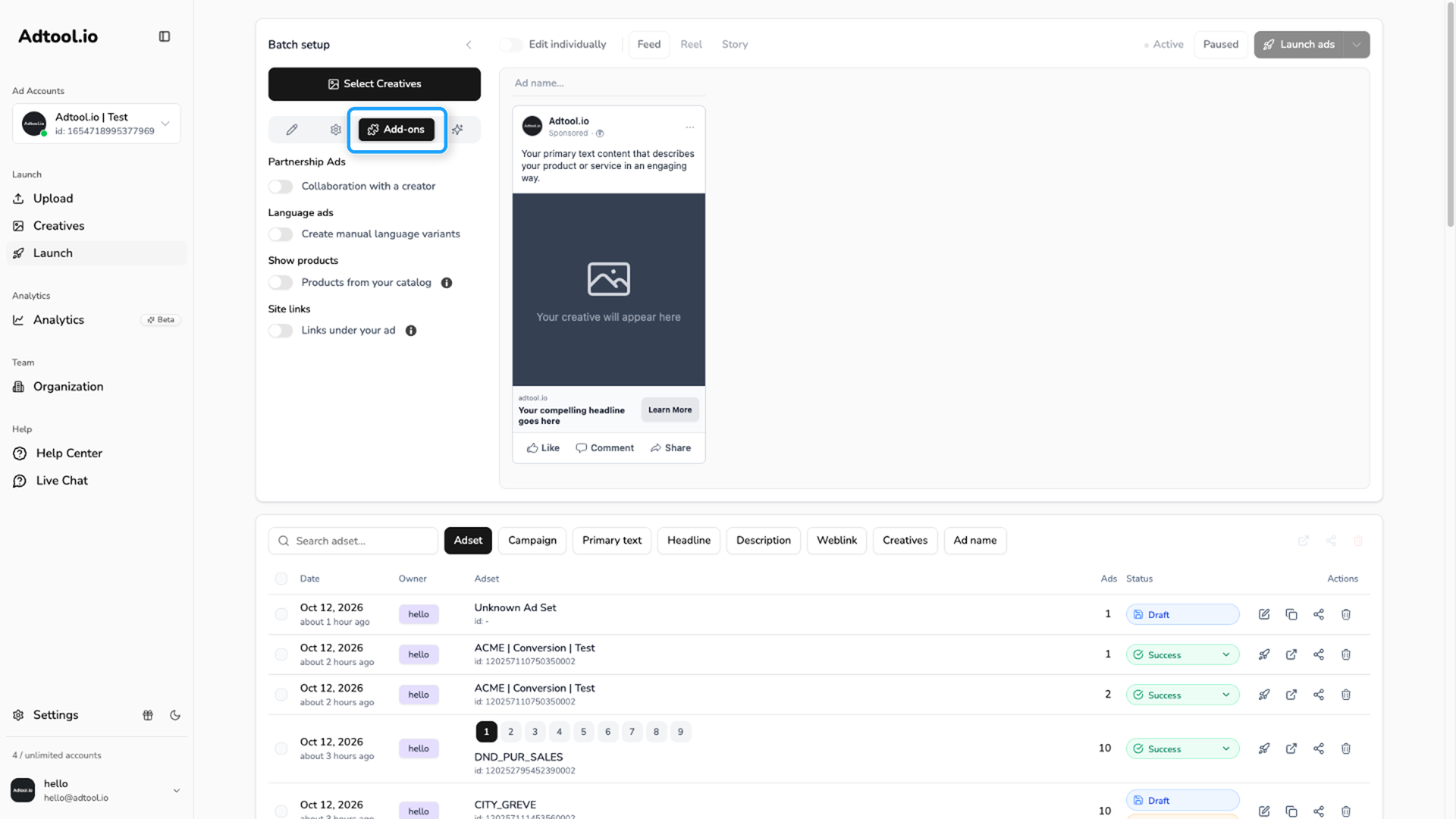
Enable language ads
Turn on Language ads. The change applies right away. Partnership Ads cannot be used in the same batch.
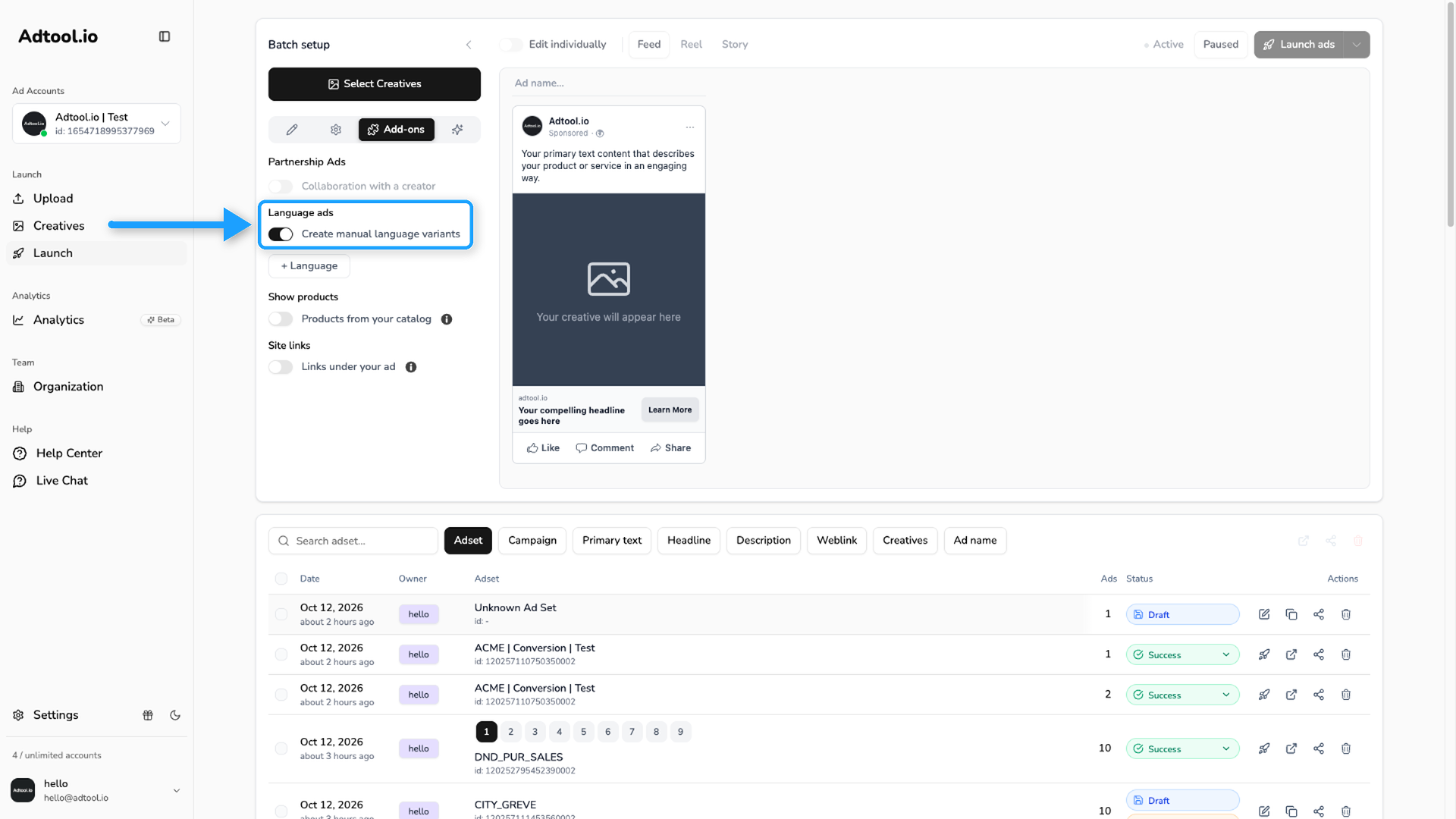
Select languages
Under the switch on the Add-ons tab, click + Language and add the languages you want to include in the launch.
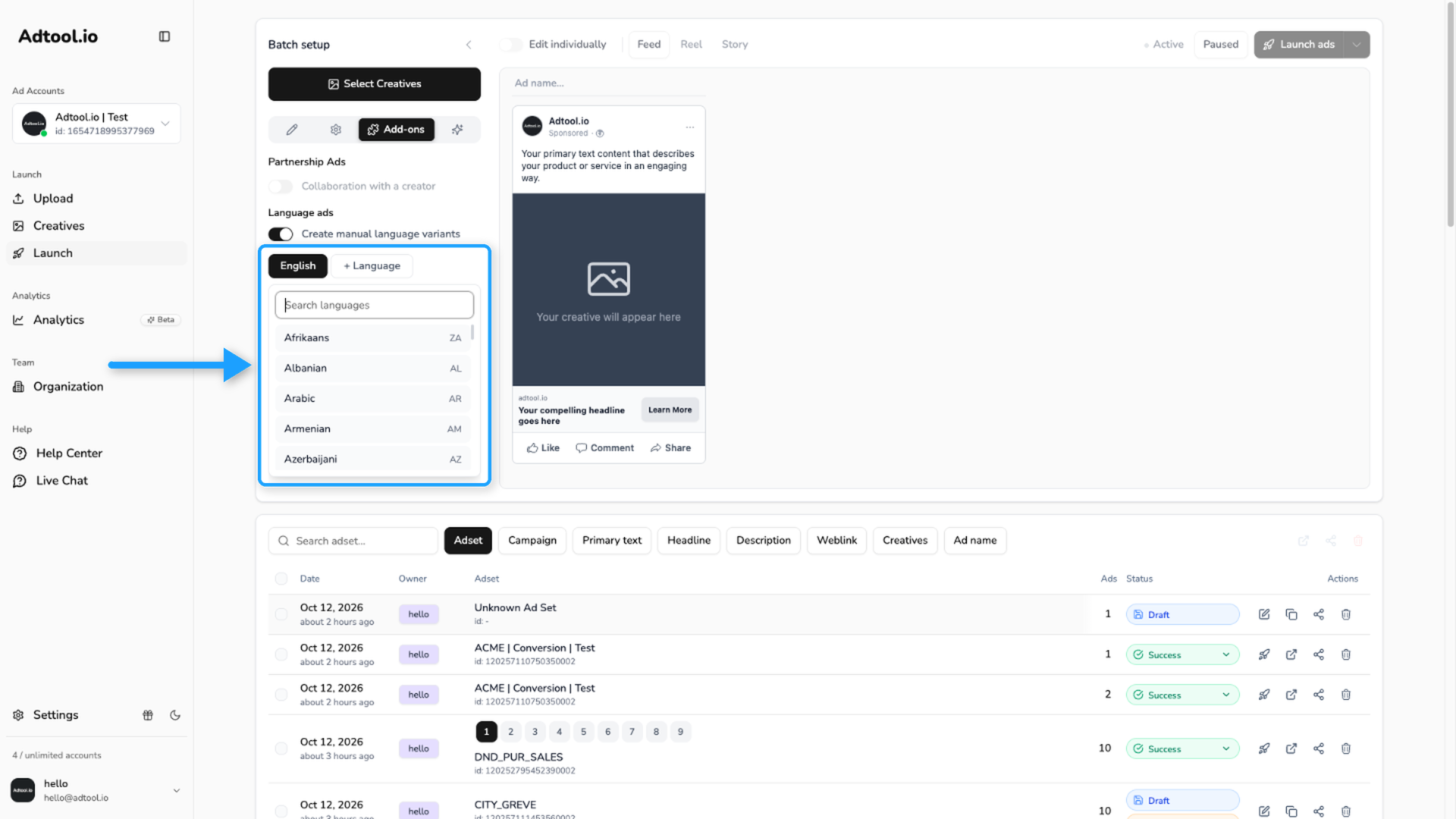
Add copy for each language
Go back to the Basic tab. Under Languages, select a language and write the ad copy for it. Each field shows the language code, for example Primary Text (EN).
Language ads apply to the whole batch. With Edit individually on, you can still change the copy for each language on one ad card.
Select creatives for each language
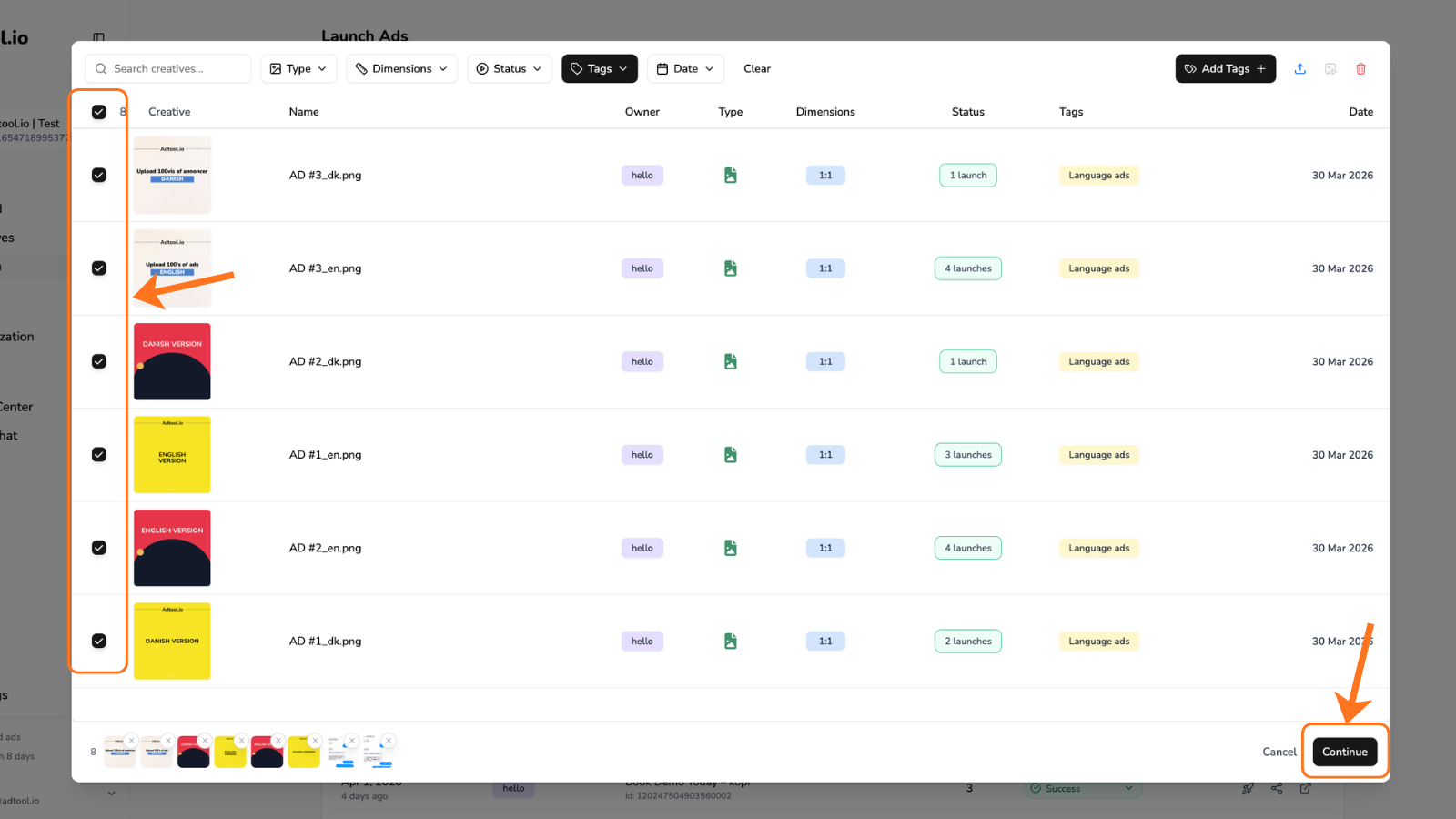
Select the creatives for the language ads, then click Continue.
You can select creatives for each individual language in the ad.
Language matching rules
Language matching rules
Adtool can automatically match creatives to languages when the file names include a supported language parameter.
Examples that match and do not match
Examples that match and do not match
Examples that can match:
hero_DK.jpg+hero_SE.jpg+hero_EN.jpgbanner-danish.png+banner-swedish.pngsummer_campaign_da.mp4+summer_campaign_sv.mp4DK_promo.jpg+SE_promo.jpgad (dk).jpg+ad (se).jpg
Examples that will not match:
Video guide
Was this helpful?
Still need help? Ask the team