Creative tags
Learn how to organize your creative library with tags so assets are easier to find, filter, and reuse.
Use creative tags to organize your creative library so you and your team can quickly find the right assets by market, product, batch, creator, or campaign type. Once a tag is applied, you can use it to keep related creatives grouped and easier to find in your creative library.
Step-by-step guide
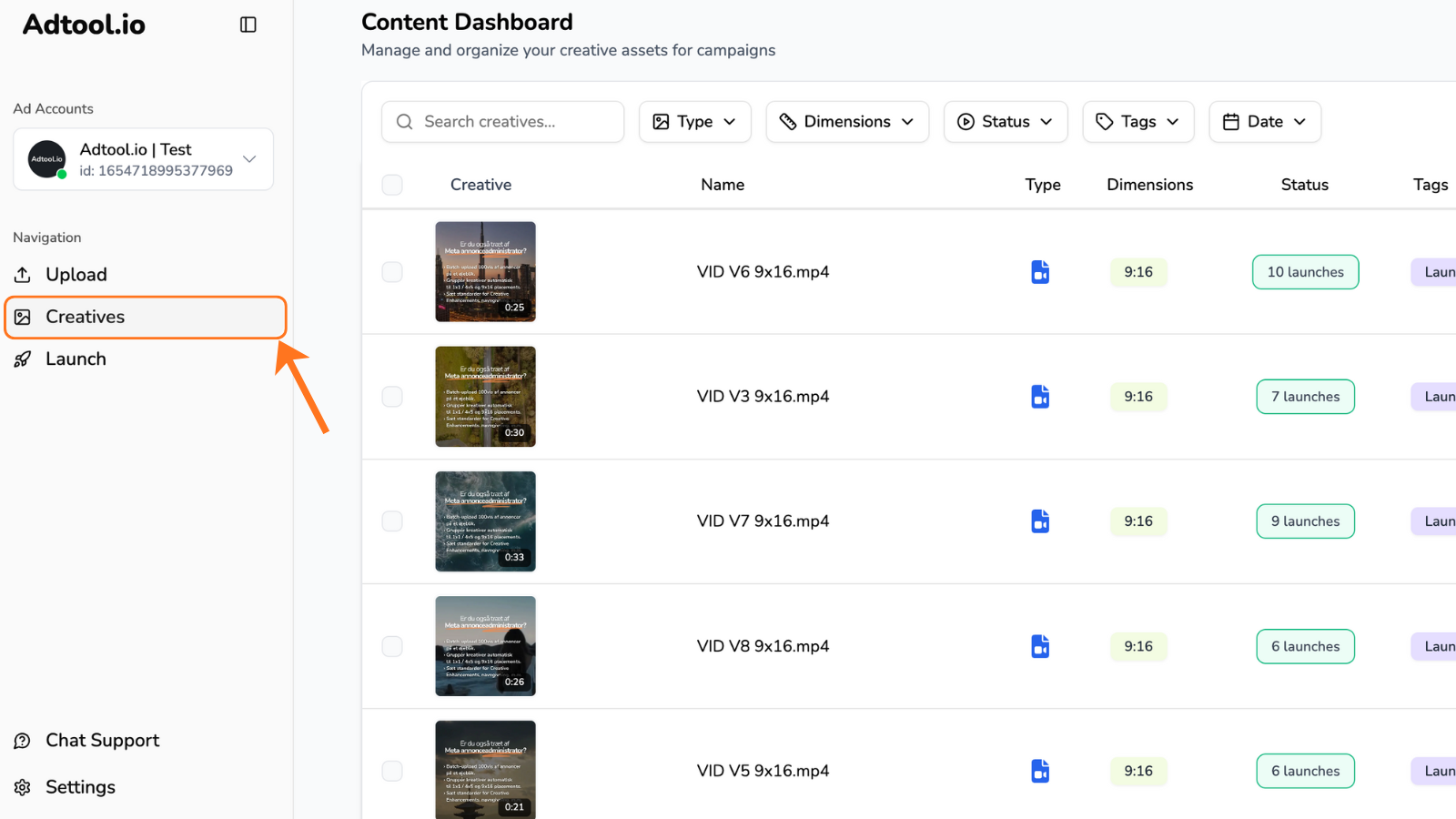
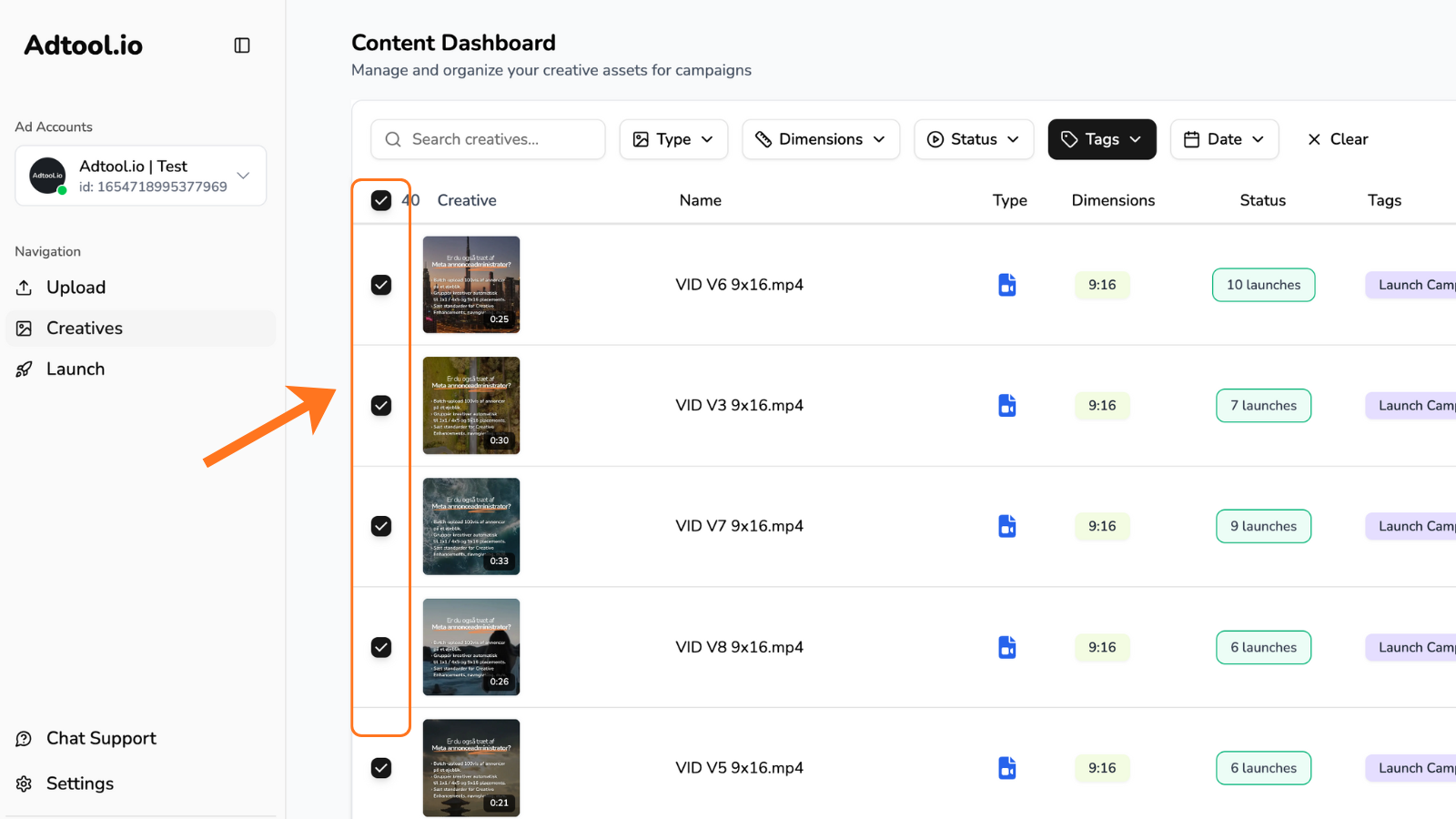
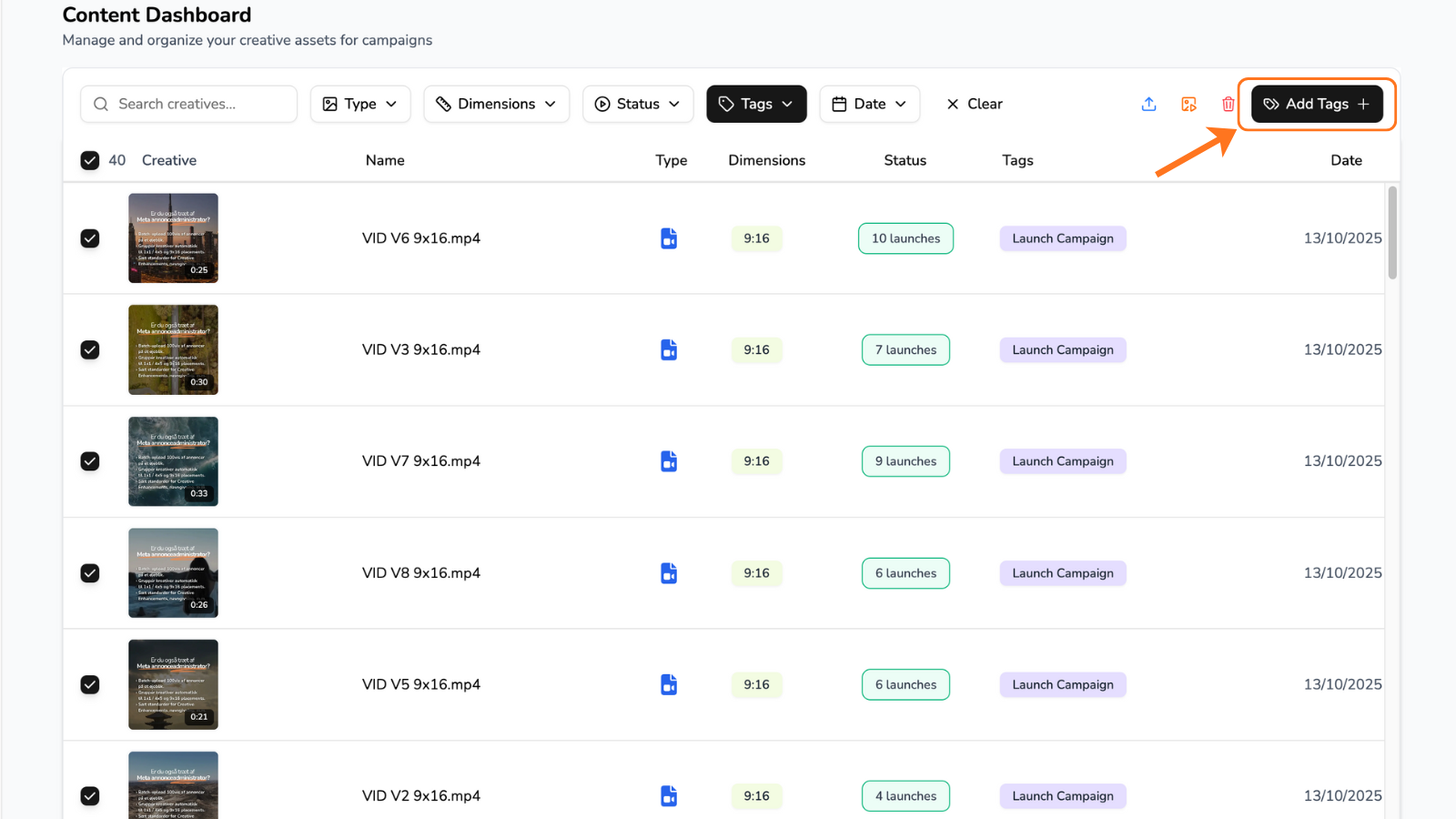
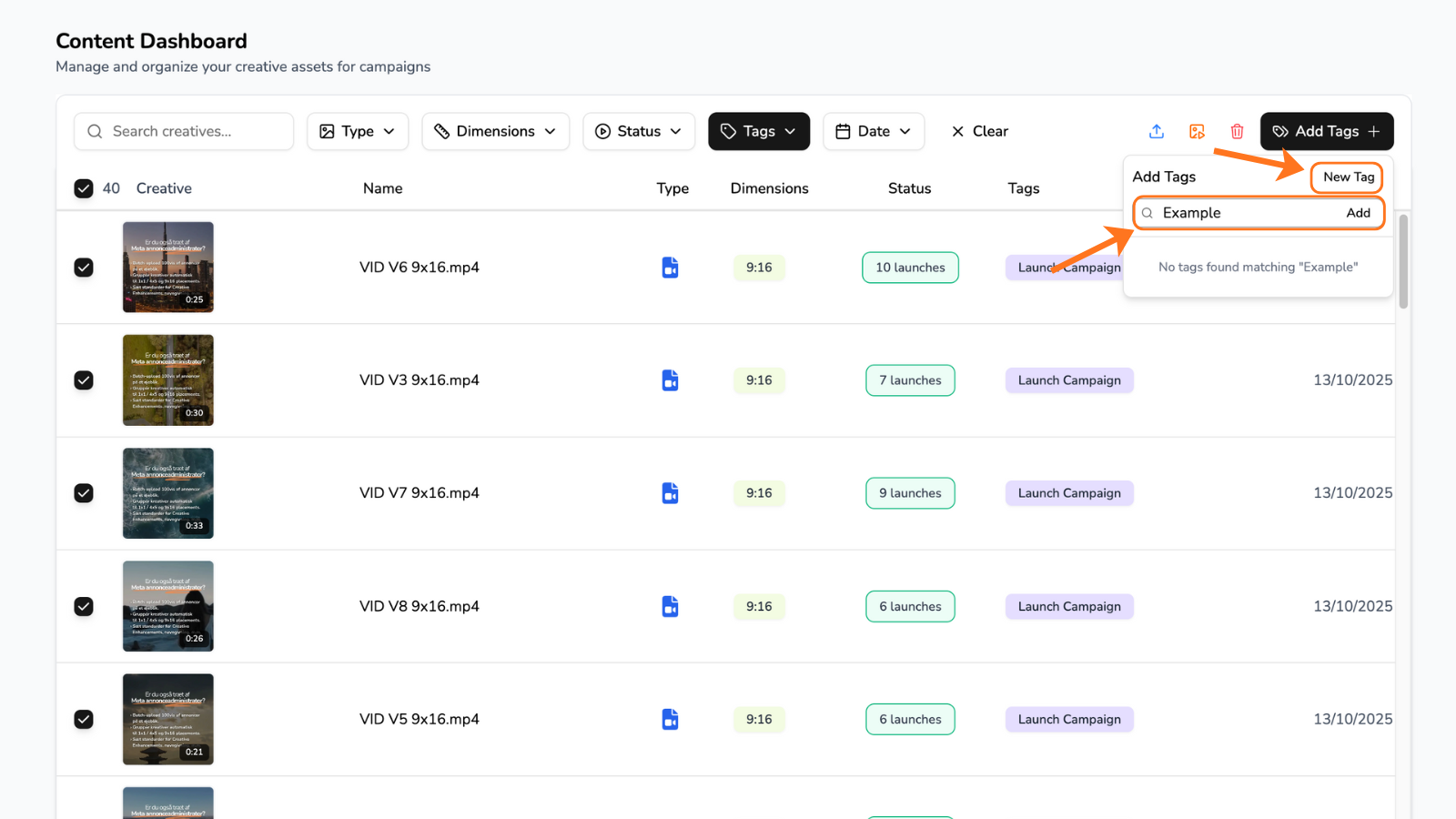
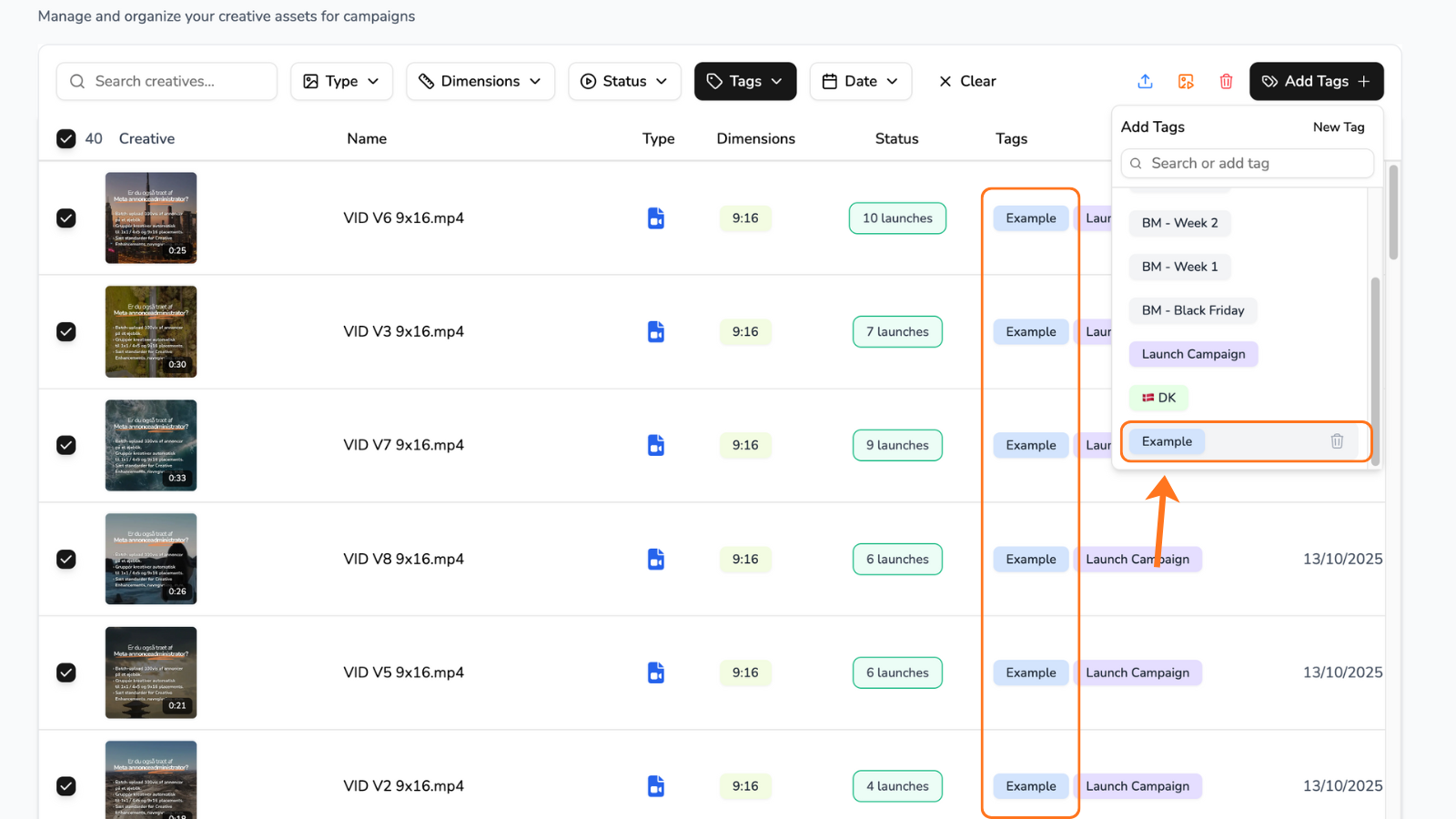
Recommended tagging system
Use tags that make your creative library easier to filter and compare later. As a rule of thumb, tag anything that will help you find, group, or reuse the creative again later.
Common tagging categories include:
Market or country, such as DK, US, GB, NO, or SE
Product, collection or service
Product or service group
Batch number, such as batch #4
Creator
Was this helpful?
Still need help? Ask the team