Duplicate campaigns
Learn how to copy an existing campaign and adjust the new campaign settings before launch.
Duplicate a campaign when you want to reuse an existing campaign setup and launch new ads into a fresh campaign structure.
Step-by-step guide
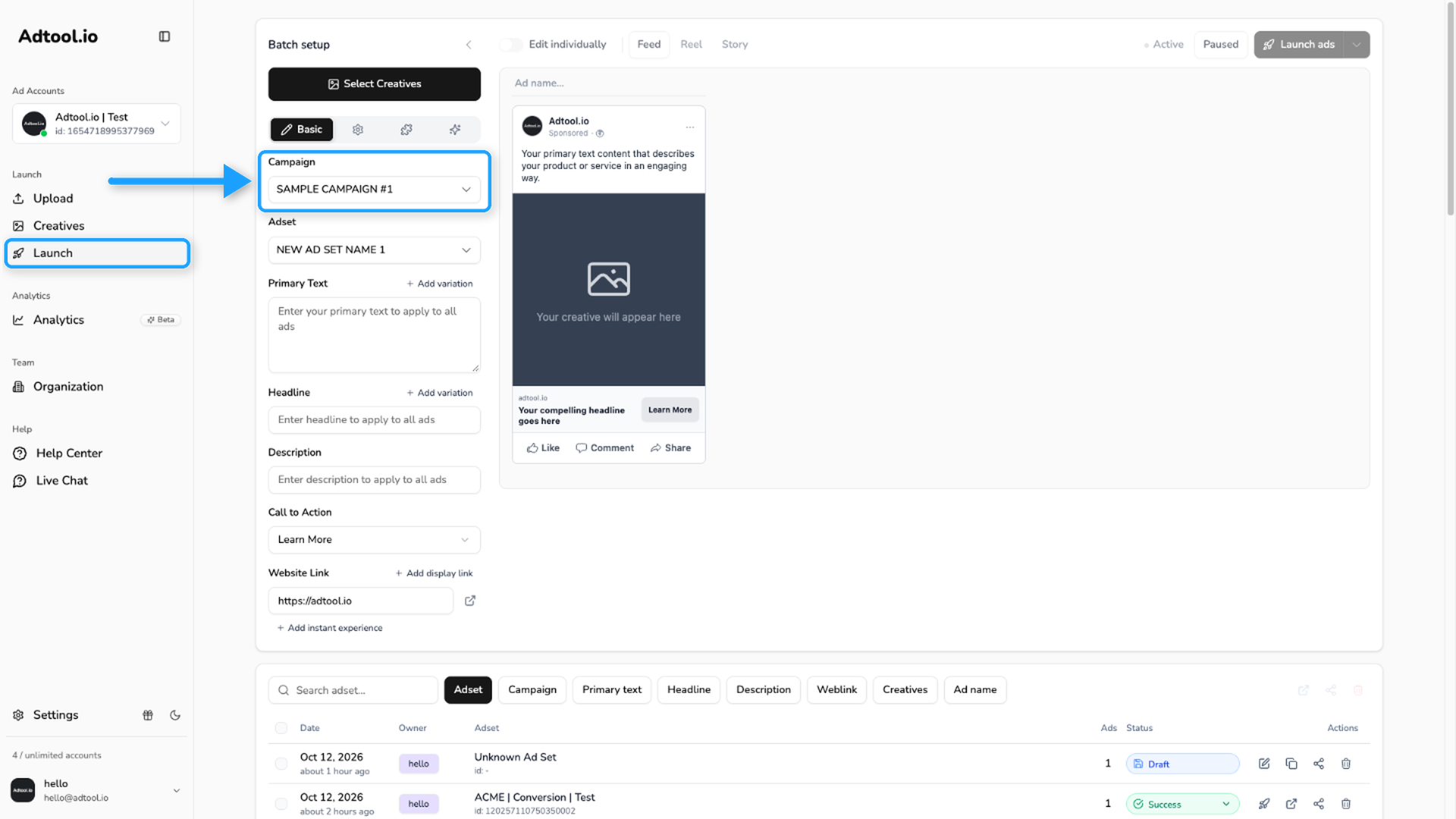
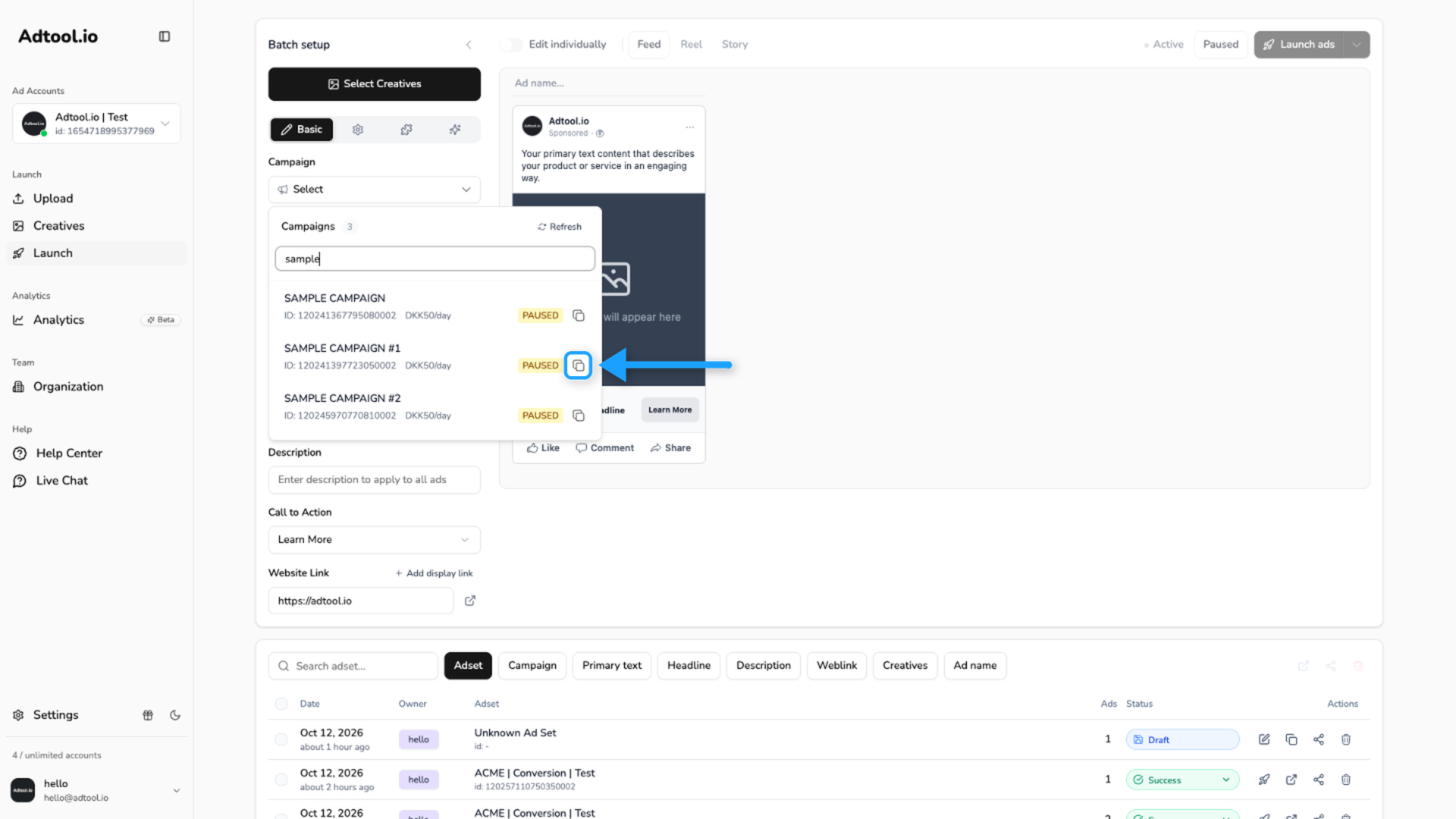
Adjust the new campaign settings
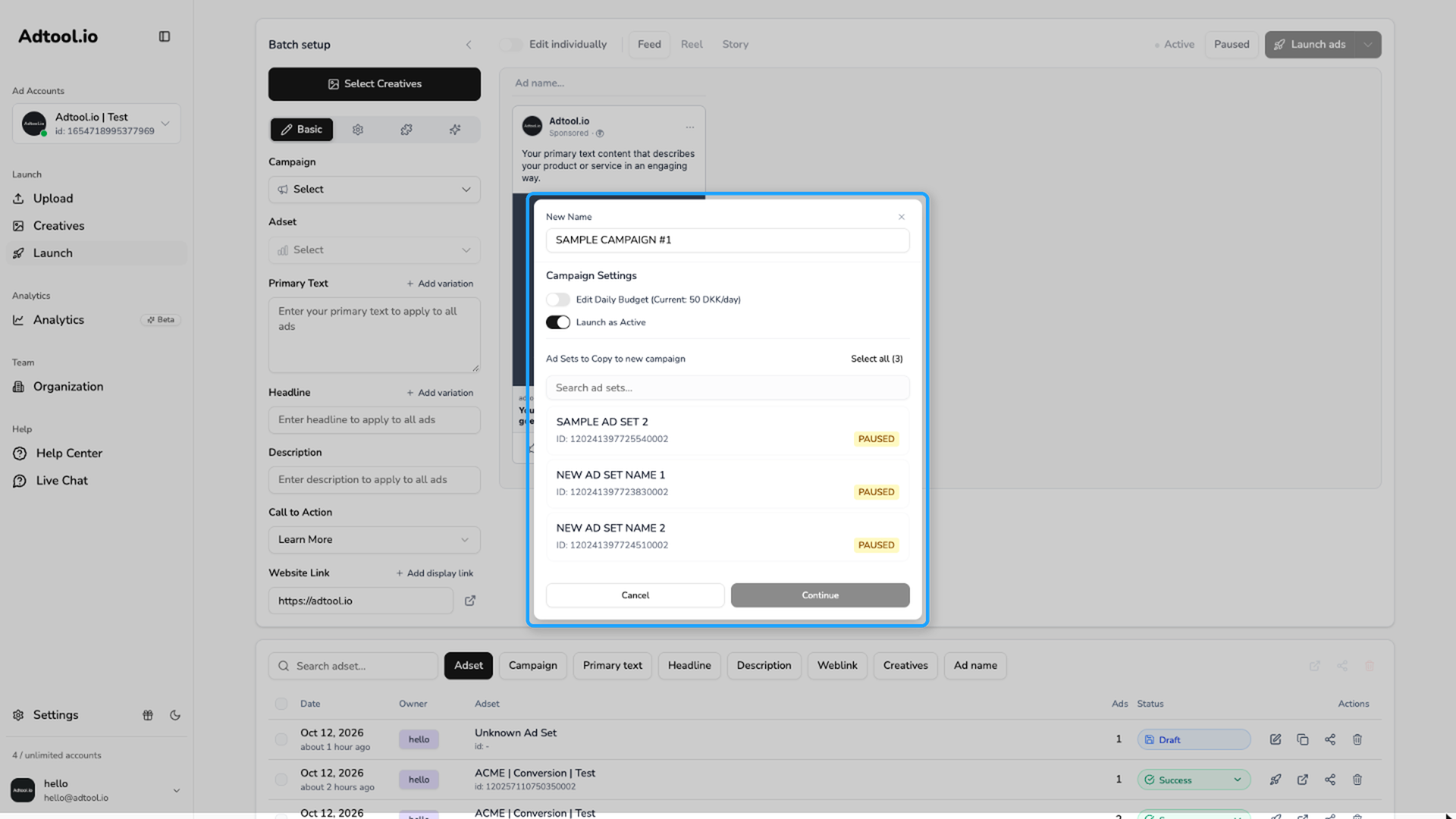
You can update:
New Name: Change the name of the new campaign.
Edit Budget: Adjust the budget when the campaign uses CBO.
Launch as Active: Choose whether the new campaign launches as active or inactive.
Ad Sets to Copy: Choose which ad sets to include in the new campaign.
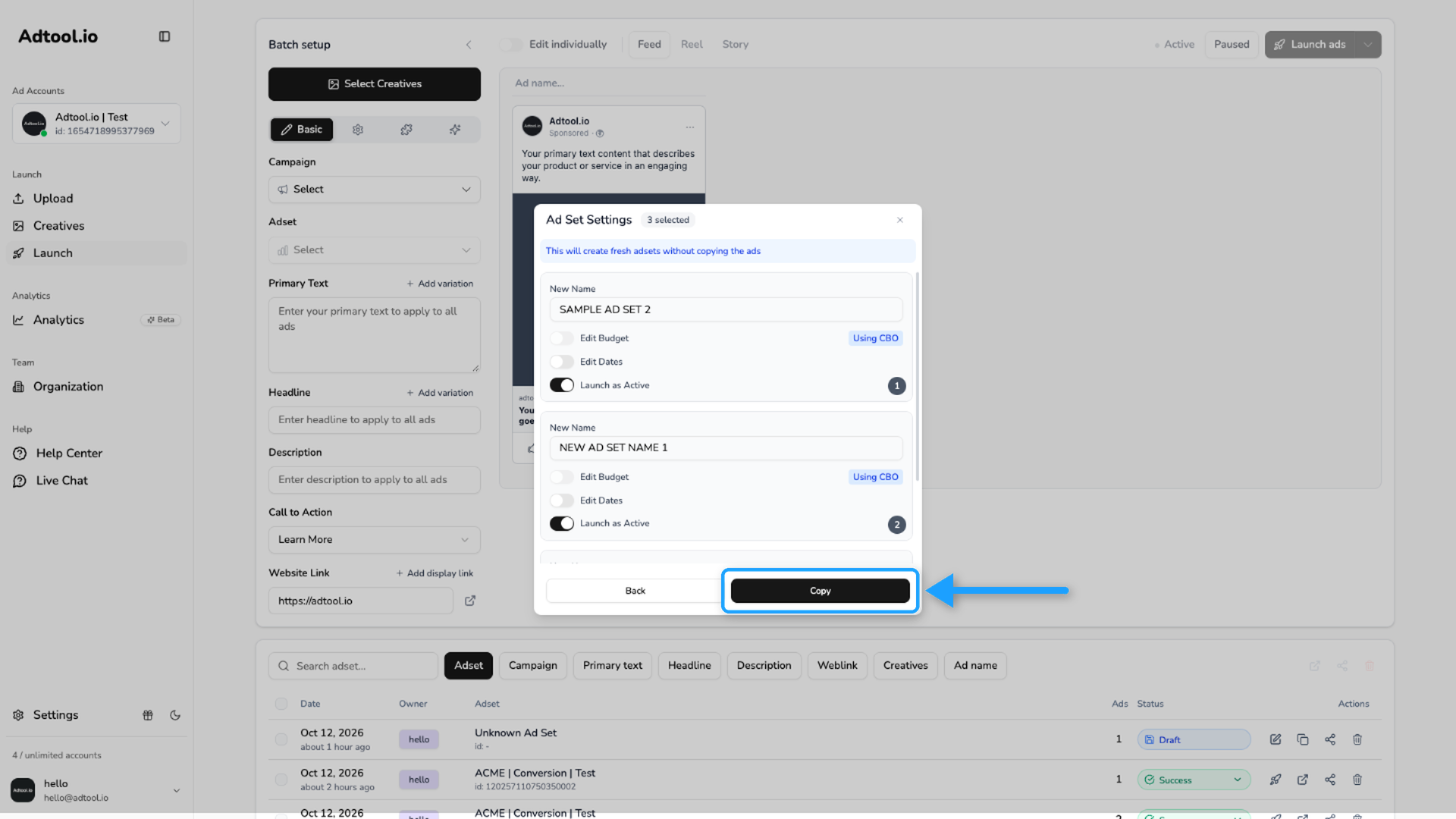
Adjust the copied ad set settings
You can update:
New Name: Change the name of the new ad set.
Edit Budget: Change the budget when the budget is set to ABO.
Edit Dates: Change the start date and end date.
Launch as Active: Choose whether the new ad set launches as active or inactive.
When the settings are ready, click Copy.
Review the duplicated campaign
The new campaign and ad sets are created with the same settings as the original, except for the changes you made during duplication.
Adtool copies settings such as optimization goal, audience, and placement options. The new campaign and ad sets do not contain ads yet, so they are ready for new ads.
Video guide
Was this helpful?
Still need help? Ask the team