Naming convention
Set the organization-wide or selected ad account naming convention and understand the fields, separators, and account-level rules.
Use a custom naming convention to control how Adtool builds ad names when ads are created. Naming conventions can be adjusted at two levels: across the organization through Default settings, or for a selected ad account when that account needs its own naming structure.
Use this page when you want launched ads to follow a predictable naming structure across batches.
Step-by-step guide
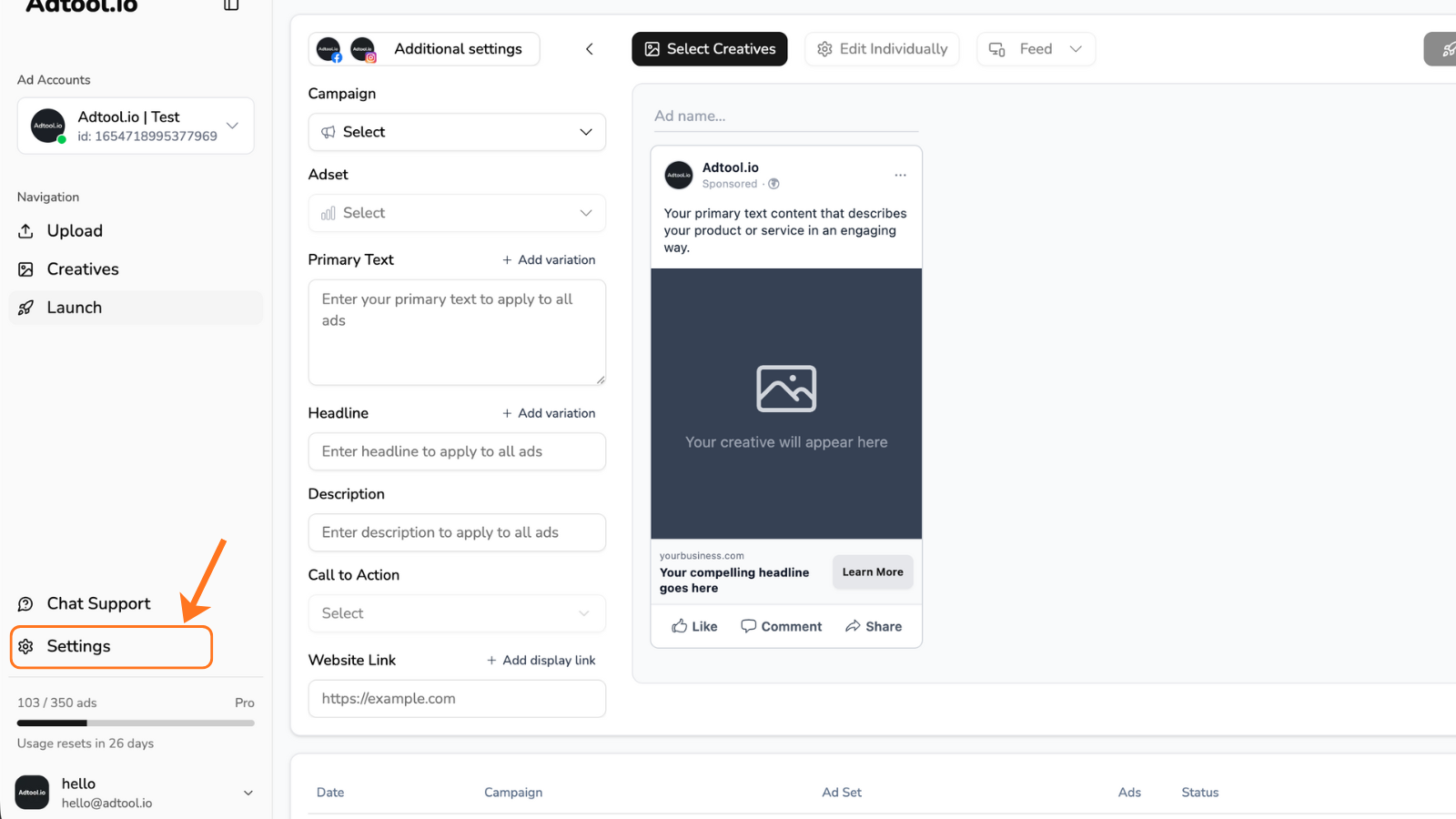
Choose where the naming convention should apply
Select Default settings to adjust the organization-wide naming convention, or select an ad account to adjust the naming convention for the selected ad account.
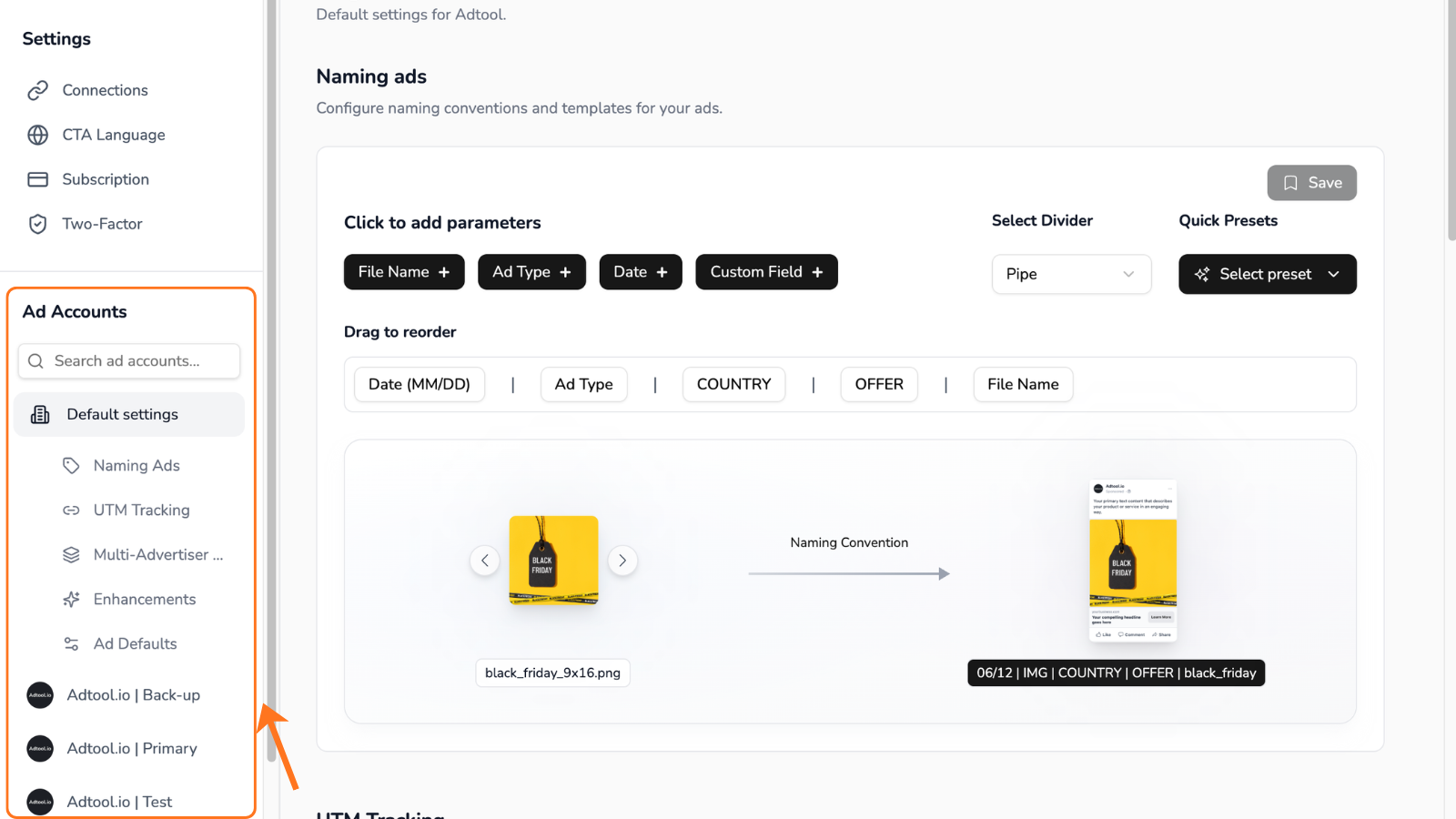
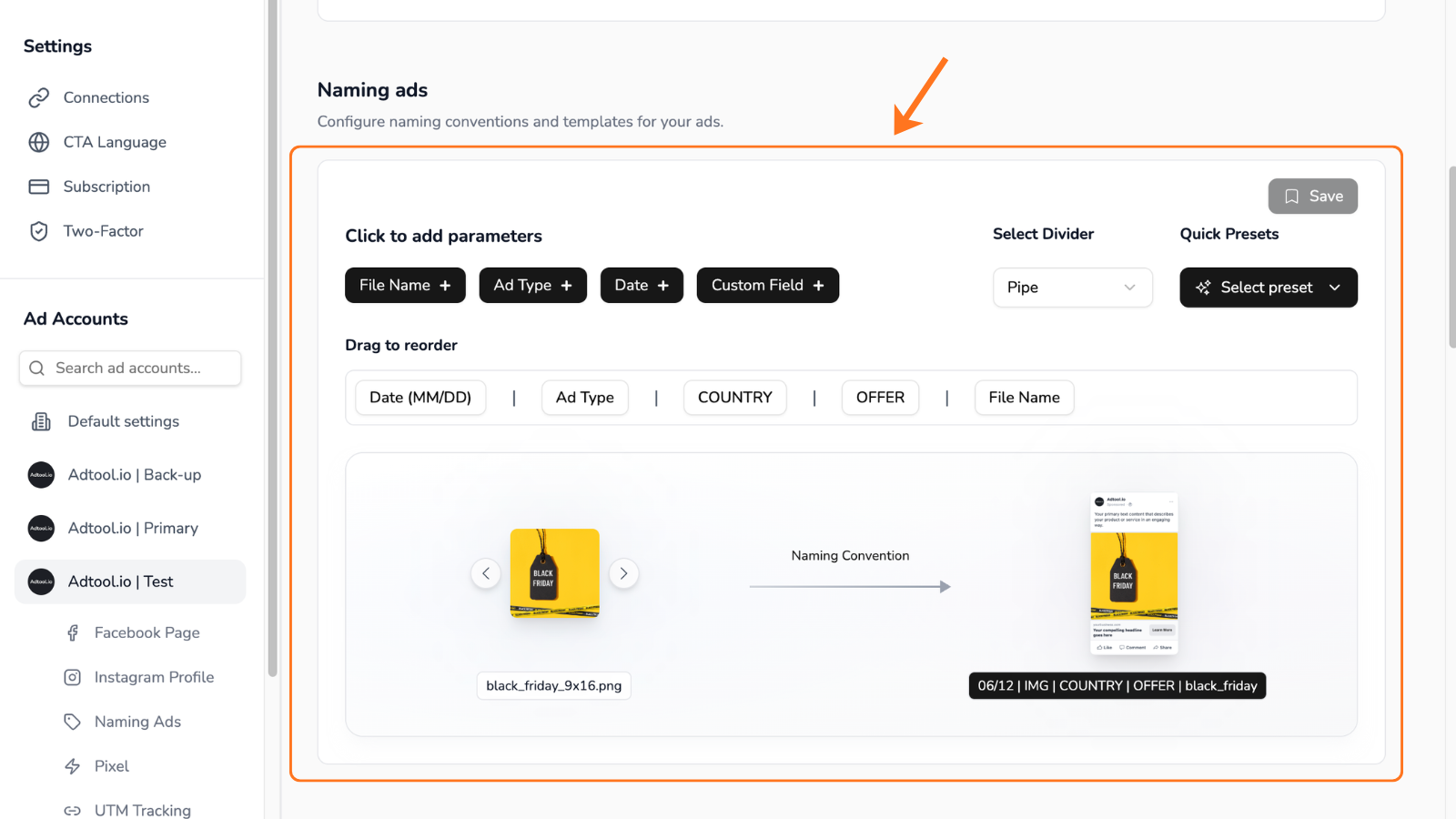
What you can set in a naming convention
Naming fields
Filename
Filename
Use Filename to add the uploaded creative file name to the ad name. This is useful when each creative needs a dynamic identifier in the final ad name. If your filenames are structured well, Filename can make ad names highly specific and easier to distinguish across a batch.
Ad type
Ad type
Use Ad type to identify the type of ad Adtool is creating. It can identify image ads, video ads, flex ads, carousel ads, partnership ads, and organic ads. You can customize what each ad type writes into the ad name. For example, you can use img for image ads, vid for video ads, or another label that matches your team's naming style.
Date
Date
Use Date to add the date when the ad is created in Adtool. You can choose from several date formats so the date matches your desired naming style.
Custom Field
Custom Field
Use Custom Field for static text that should appear exactly as entered in every ad name. You can also use a Custom Field as a placeholder. For example, if you need country in your ad names, you can add a country placeholder and later adjust it with the Find & Replace function in Launch.
Separators
Separators
Separators control what appears between fields in the final ad name. Select the separator format your team already uses in its naming system.
Before you save
Check these items before saving the naming convention:
Examples of naming conventions
Common cases
I want the same naming convention across the organization
I want the same naming convention across the organization
Select Default settings, review the naming fields, order, separators, and custom labels, then save. This sets the organization-wide naming convention.
I want one selected ad account to use a different naming convention
I want one selected ad account to use a different naming convention
Select the ad account, adjust the naming fields, order, separators, and custom labels, then save. This changes the naming convention for that selected ad account.
I need each creative or ad to be easy to identify
I need each creative or ad to be easy to identify
Add Filename to the naming convention. Structured filenames can make each ad name more specific and easier to distinguish across a batch.
I need ad type labels that match my team's system
I need ad type labels that match my team's system
Add Ad type, then customize the labels Adtool writes for image ads, video ads, flex ads, carousel ads, partnership ads, and organic ads.
I need to change one part of names during launch
I need to change one part of names during launch
Use a Custom Field as a placeholder, then adjust the value with Find & Replace in Launch when you prepare the batch.
My ad names look too long
My ad names look too long
Use fewer fields, shorten custom field values, or clean up creative filenames before adding the creatives to Adtool.
Video guide
Was this helpful?
Still need help? Ask the team