

Documentation Index
Fetch the complete documentation index at: https://help.adtool.io/llms.txt
Use this file to discover all available pages before exploring further.
Video Guide
Step-by-step Guide
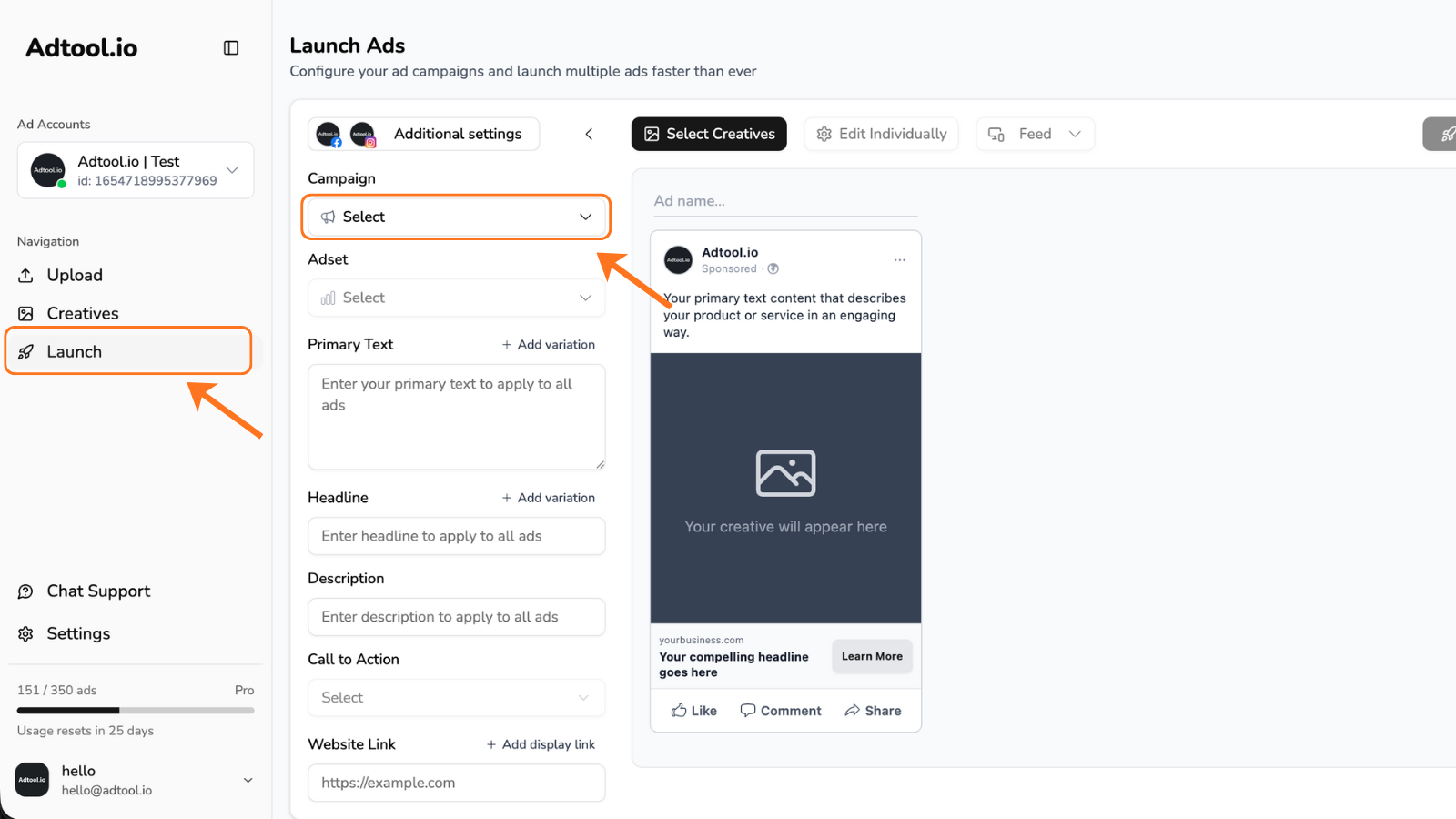
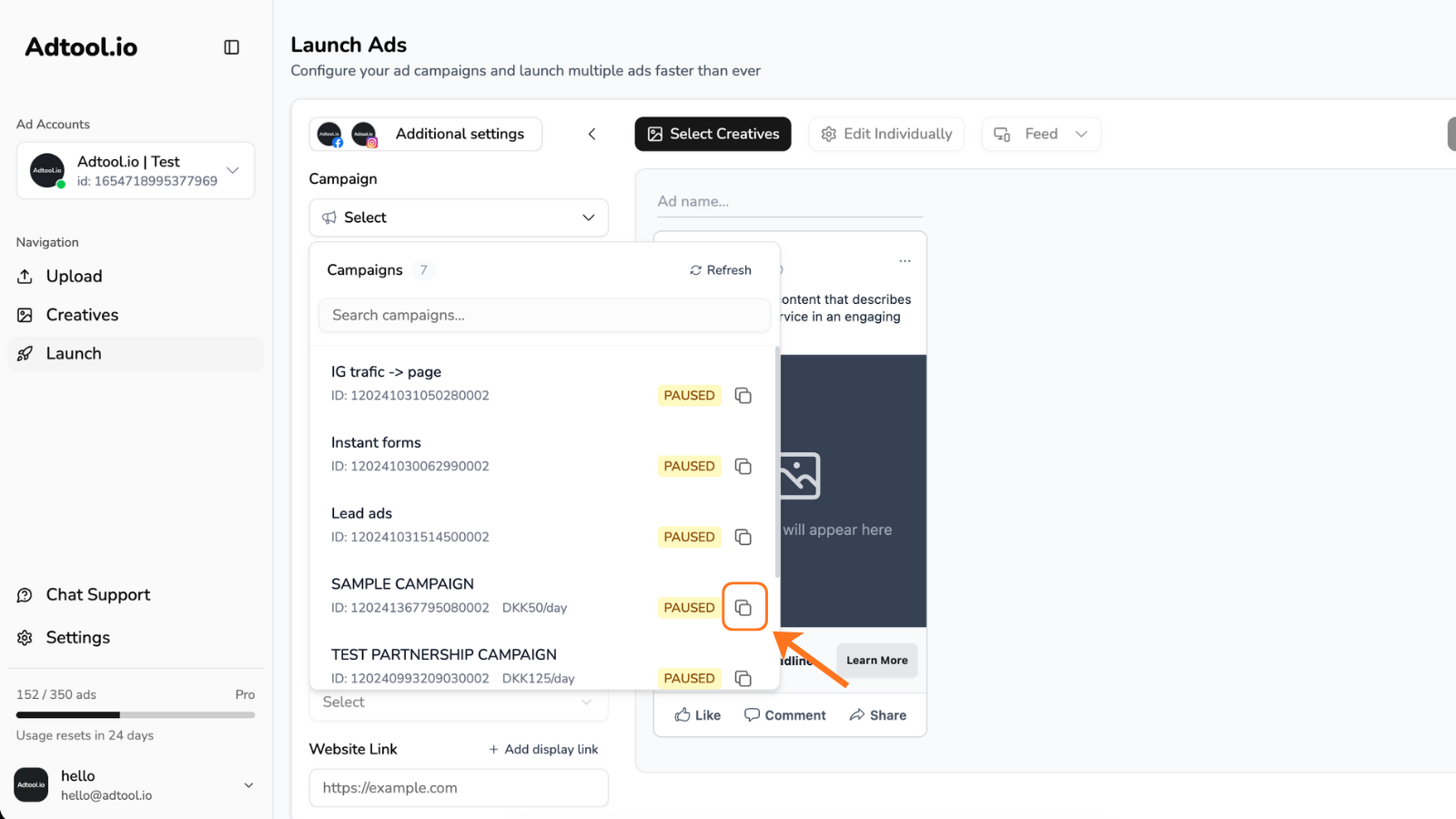
Change the settings you need and click 'Continue'
New Name: Allows you to change the name of the new campaign.
Edit Budget: Lets you adjust the budget (only applicable if the campaign uses CBO).
Launch as Active: Gives you the option to publish the new campaign as either active or inactive.
Ad Sets to Copy: Lets you choose which ad sets to include in the new campaign..png?fit=max&auto=format&n=x4l9LWLLwXHUTShG&q=85&s=3a0d7836054f37877f8fd5e17ac62863 "Copy Campaign Settings Pn")
Edit Budget: Lets you adjust the budget (only applicable if the campaign uses CBO).
Launch as Active: Gives you the option to publish the new campaign as either active or inactive.
Ad Sets to Copy: Lets you choose which ad sets to include in the new campaign.
Adjust the settings of the Ad Sets and click 'Copy'
New Name: Change the name of the new ad set
Edit Budget: Let’s you change the budget (if the budget is set to ABO)
Edit Dates: Gives you the option to change start- & end-date
Launch as Active: Gives you the option to publish the new ad set active or inactive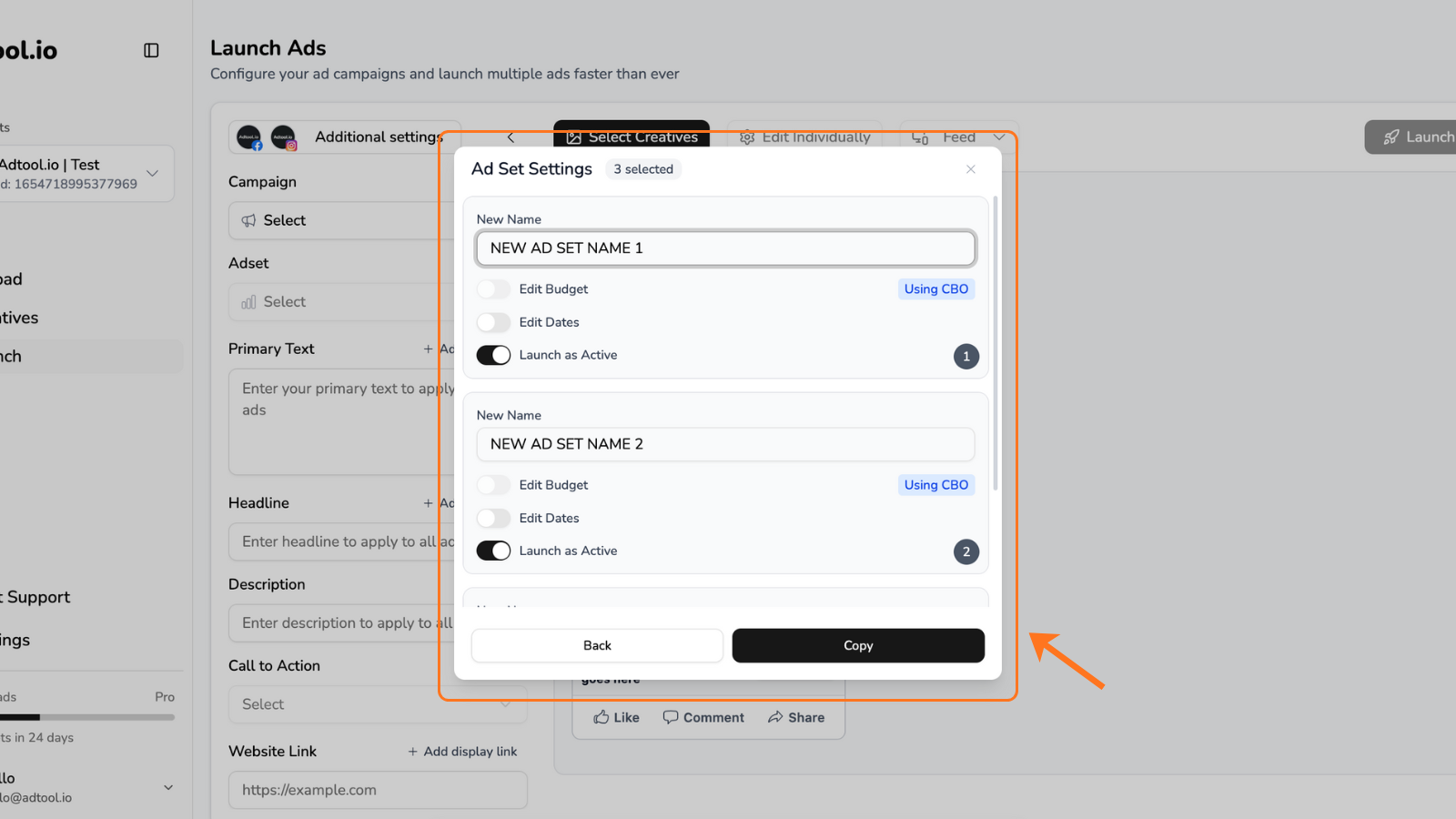
Edit Budget: Let’s you change the budget (if the budget is set to ABO)
Edit Dates: Gives you the option to change start- & end-date
Launch as Active: Gives you the option to publish the new ad set active or inactive
You have now succesfully duplicated the Campaign!
You can now see your new campaign and ad sets, created with the same settings as the previous one.NOTE: We’ve made an exact copy of all settings, including optimization goal, audience, and placement options.
The only difference is what you just changed in the previous window.This campaign and ad set is fresh and contains no ads - ready for you to launch new ads into.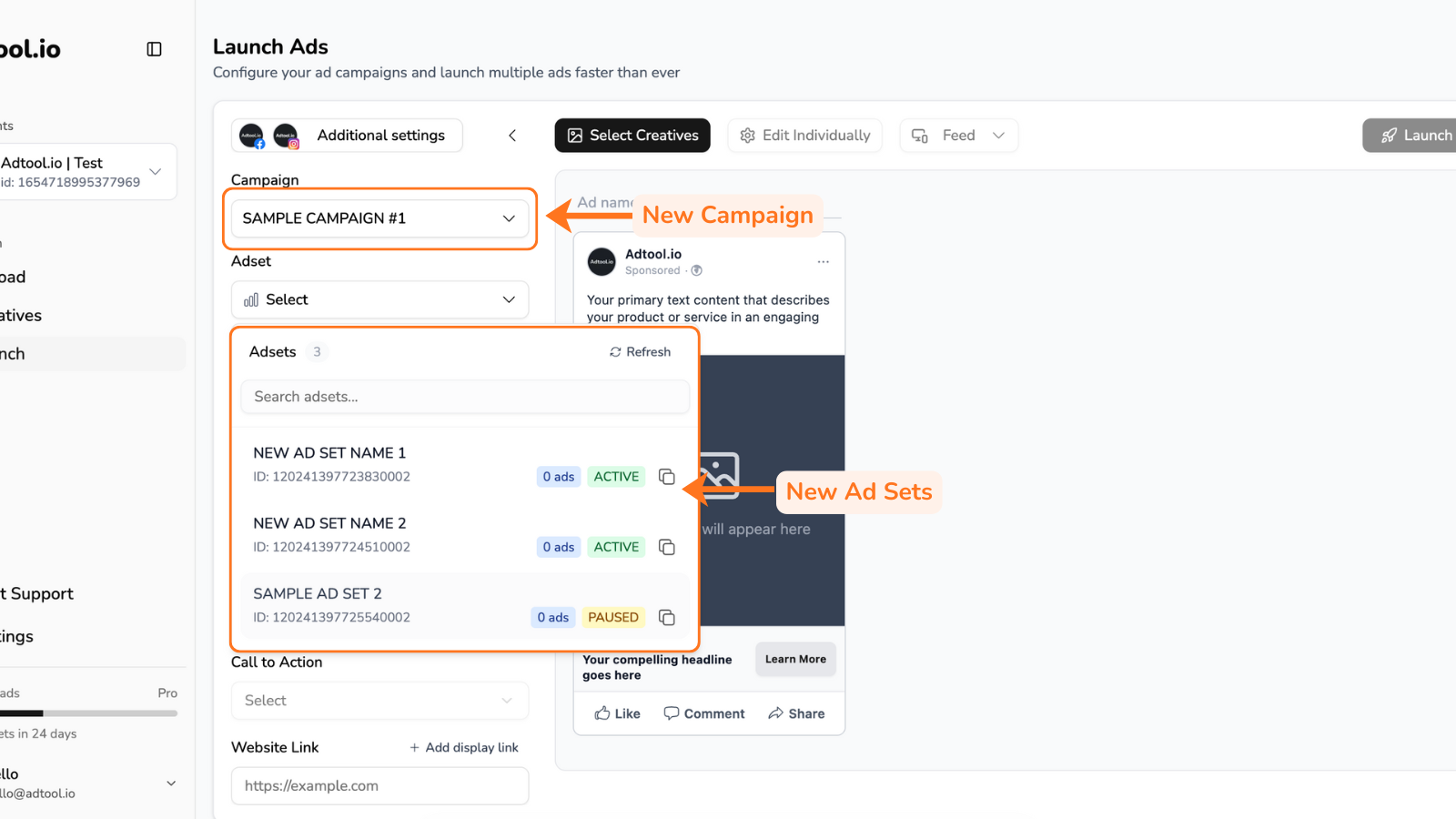
The only difference is what you just changed in the previous window.This campaign and ad set is fresh and contains no ads - ready for you to launch new ads into.